

Index
Editorial Disclosure
Information based on official specs. The author has not had physical access to the product for this report.
Information based on official specs. The author has not had physical access to the product for this report.
iOS 27 is the new version of the iPhone operating system, and its biggest bet is not the one you expected. Before AI, the first thing you’ll notice is speed: Apple rewrote a large part of the system so everything opens and responds faster, after an iOS 26 marked by complaints about performance and battery life. On top of that come the new Siri AI, a second stage of Apple Intelligence, and compatibility that extends support all the way back to the iPhone 11.
The trade-off is the requirements: artificial intelligence features require at least an iPhone 15 Pro, and the new Siri arrives later and with restrictions depending on the region.
Apple focused on cleaning up the system and improving efficiency, and the numbers it showed are concrete: apps open up to 30% faster, photos load 70% sooner, AirDrop transfers are 80% faster, and searching for files is up to five times quicker. Under the hood, it rewrote the search structure to index all iPhone content faster, and the CPU now prioritizes the app you’re using over background processes.
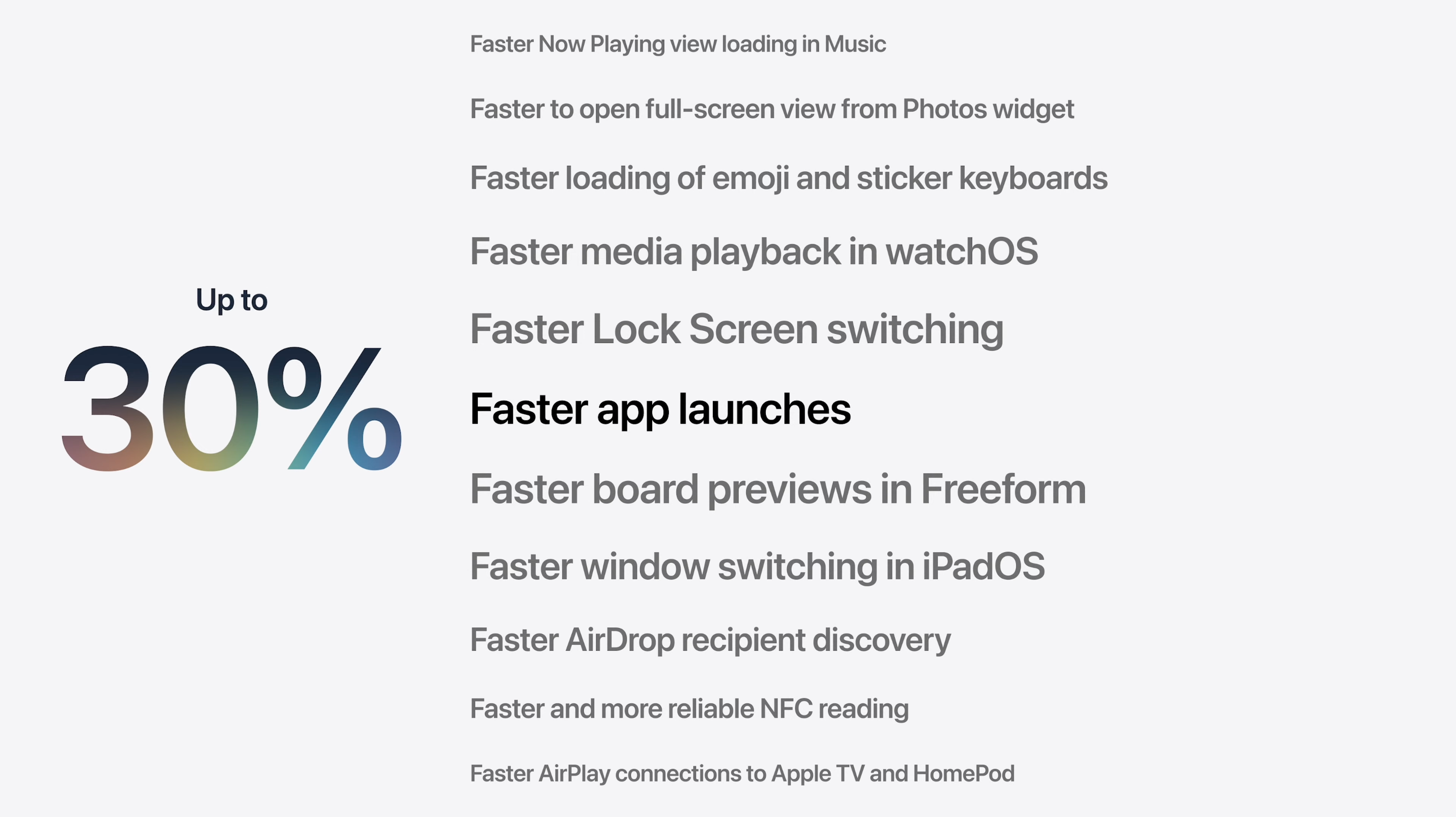
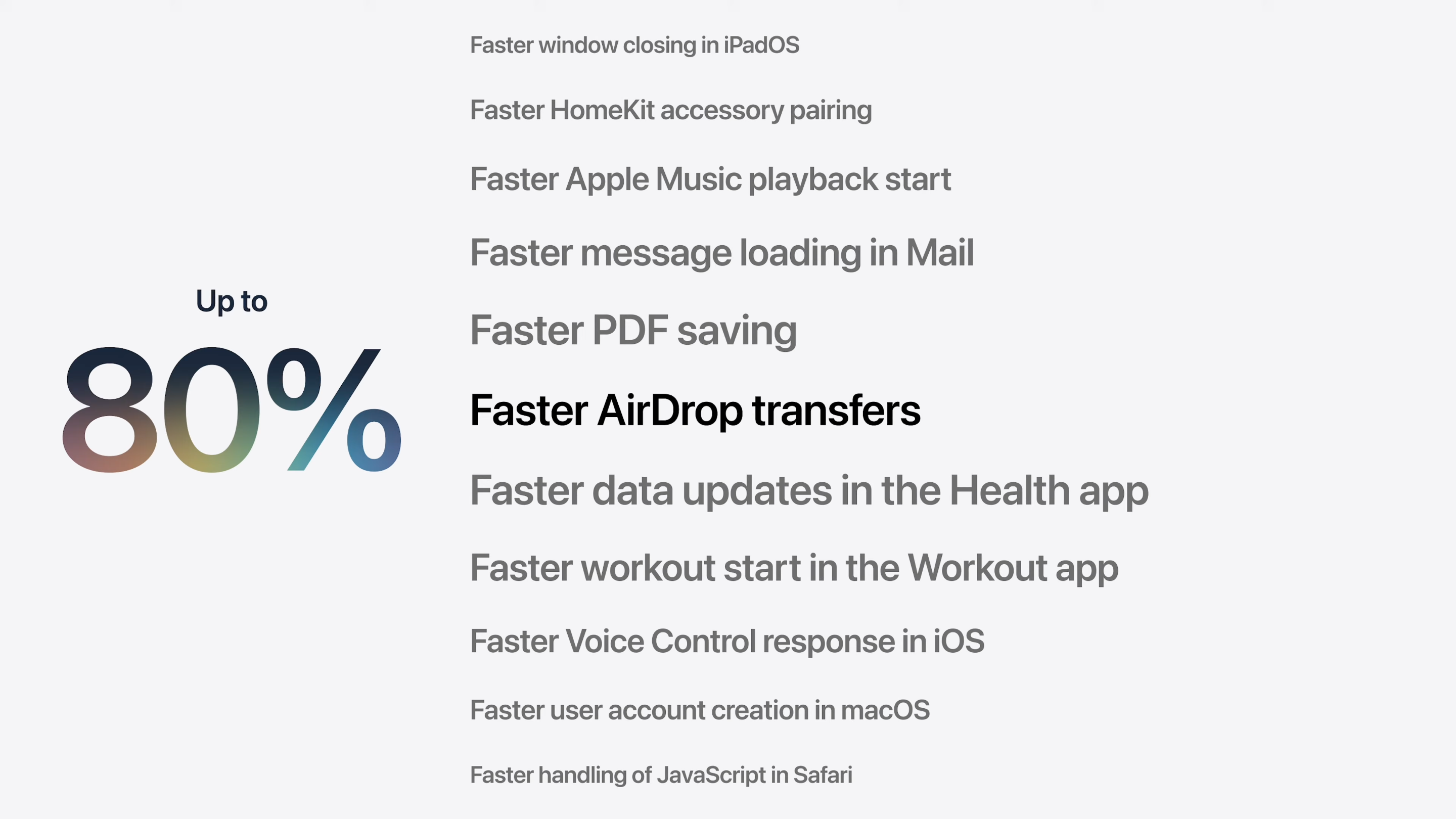
There are improvements you’ll appreciate day to day: in Messages, text and large files are sent separately, which is useful when you have a weak signal, and Apple Maps gains a lot more detail. It’s the most serious iPhone performance overhaul in years, and the only iOS 27 change you’ll notice no matter which model you have.
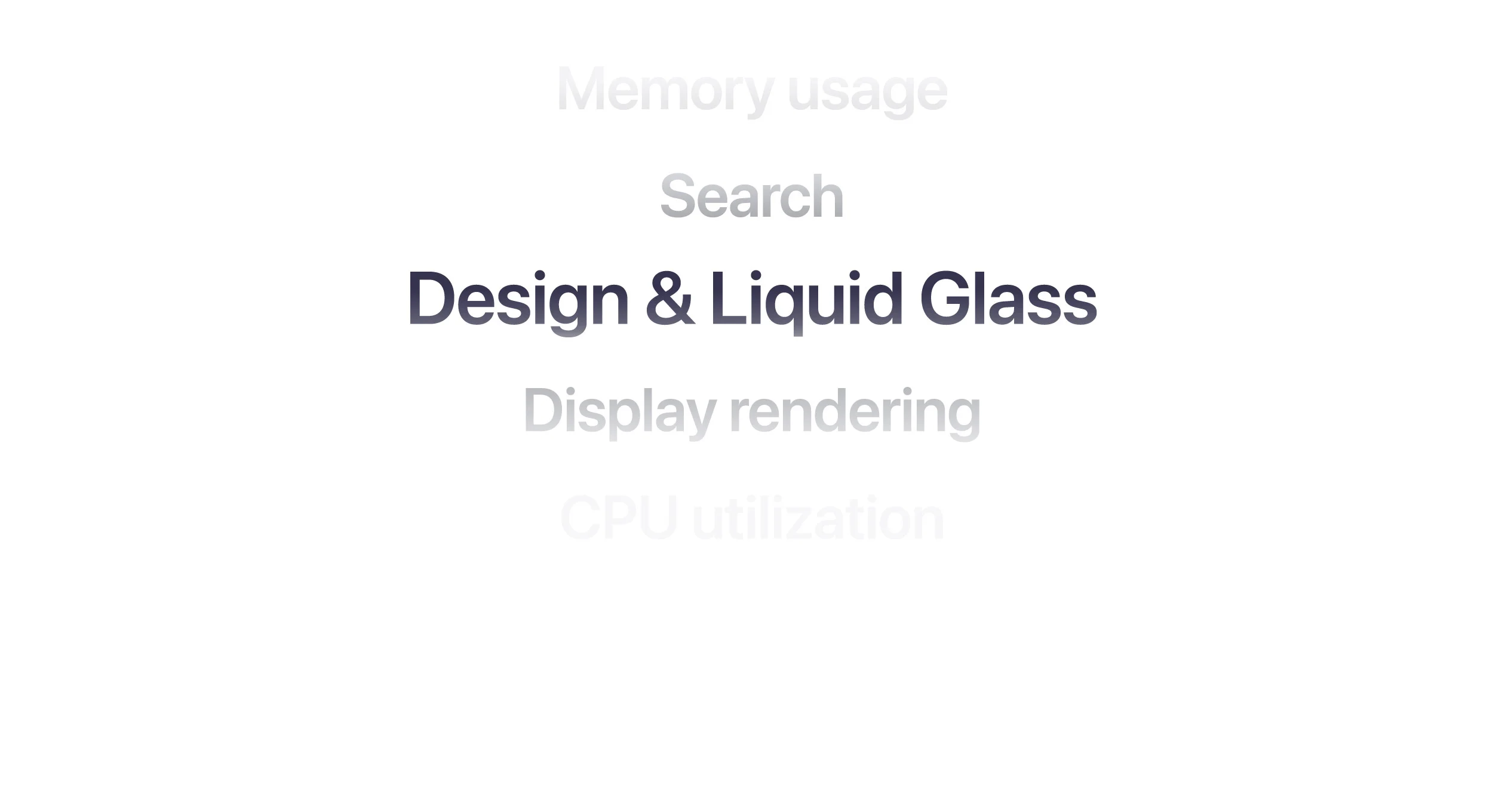
The visual language Apple introduced in iOS 26 returns more polished, and Apple itself placed it among the areas it worked on most in this version, on par with memory, search, and CPU performance. It’s not a ground-up redesign, but a refinement of what you already knew, with two noticeable changes.
The first is in the icons, which are now built in layers and react to light and the background. Apple added light, dark, and single-color tinted variants, plus a more transparent version that lets the glass show through behind them. The goal is for everything—icons, buttons, bars, and controls—to use the same material and look consistent on screen.
The second change responds directly to the criticism of iOS 26. There is now a selector to adjust the intensity of the glass effect: you can make it more pronounced or more subtle, depending on your preference. And when there is text in front, the background blur automatically increases to make it easier to read, exactly the point that drew the most criticism last year.
The major future-facing feature is Siri AI, a Siri rebuilt from scratch. It understands far more natural language, follows you through complex conversations, sees the context of what’s on your screen, and can act across apps: finding a photo from a description, scheduling an event from a screenshot, or splitting a bill by pointing the camera at the receipt.
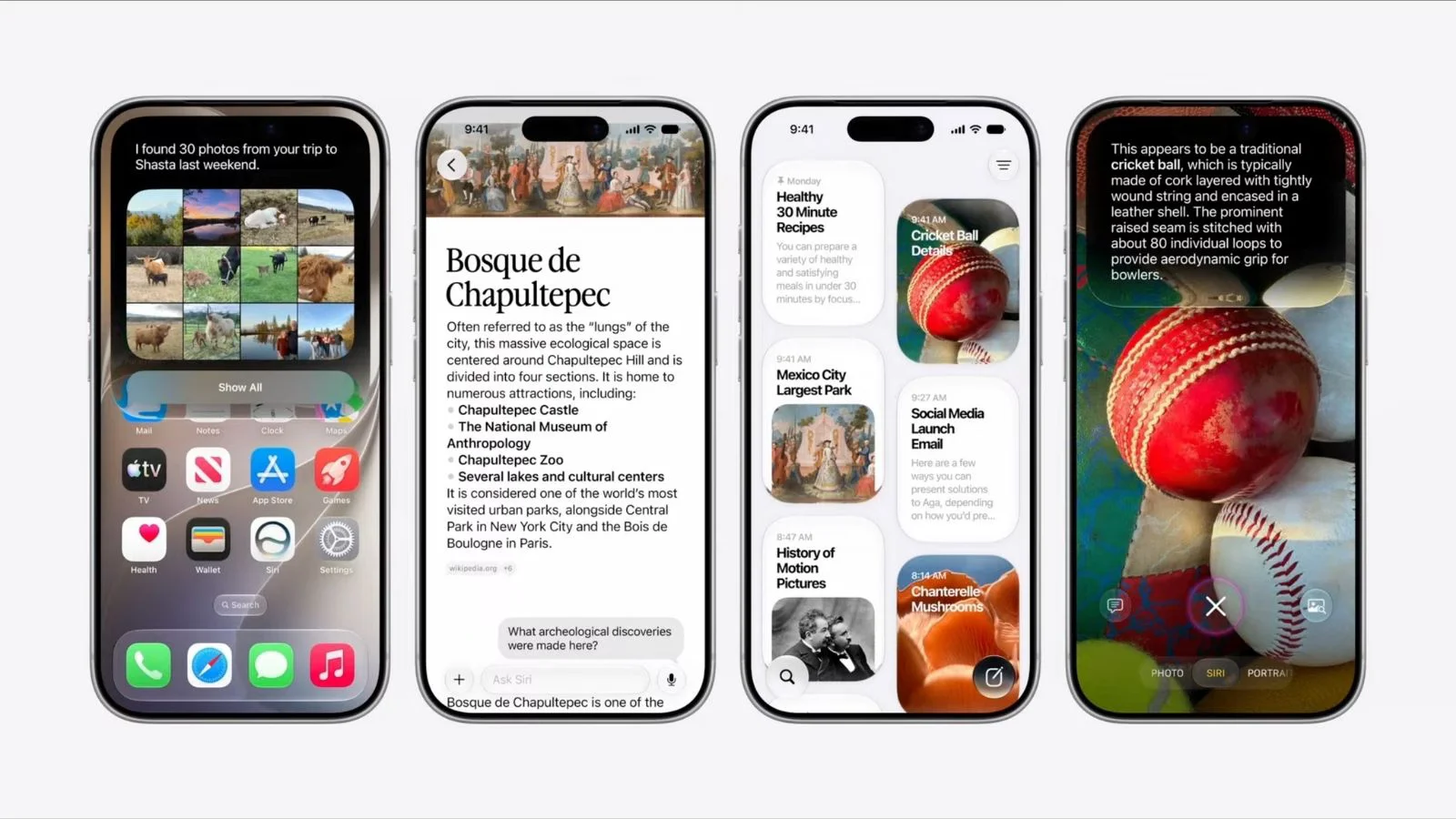
It also changes how it looks and how it’s invoked: it introduces a new interface in the Dynamic Island, more expressive voices, and a dedicated app.
Siri AI does not arrive with the September release, but later, at the end of the year, and it starts only in English, with no date for Spanish. It will also not be available on iPhone in the European Union or China for regulatory reasons.
Beyond Siri, Apple Intelligence enters its second stage with a more powerful on-device model and awareness of what you’re doing on screen. The most eye-catching additions are in the Photos editing tools: you can now remove objects and automatically fill the gap, extend an image’s background by generating new content, or reframe a photo by changing the perspective around the subject.
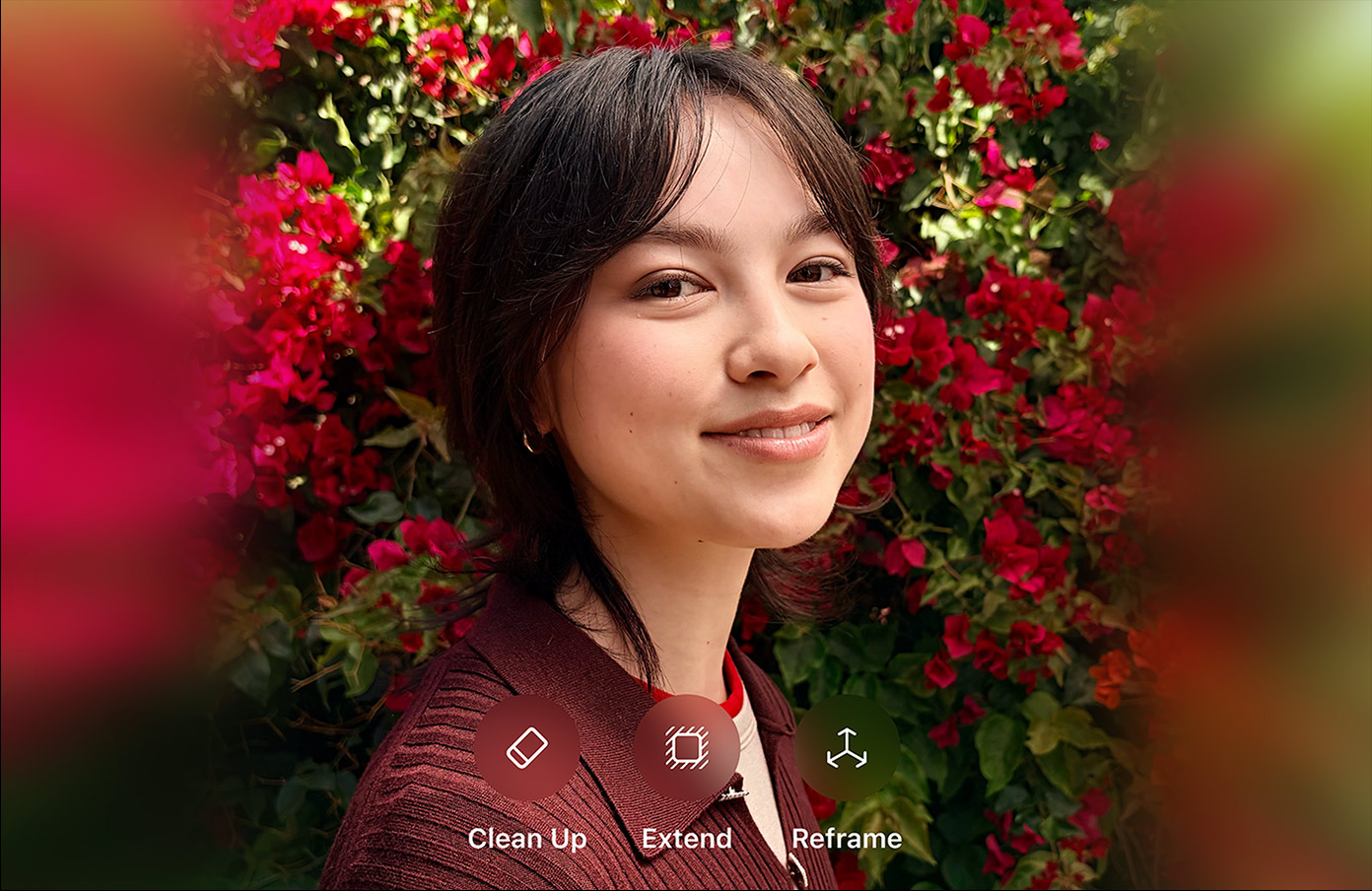
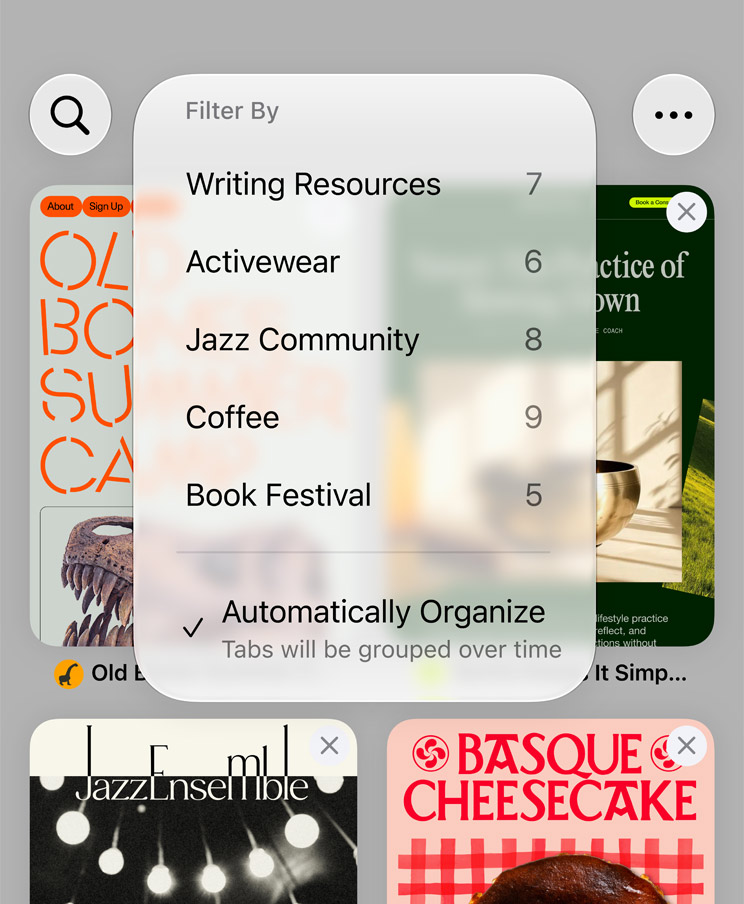
Apple distributed AI features across several system apps. In Safari, the browser organizes tabs by topic and can monitor a page in the background to notify you when it changes.
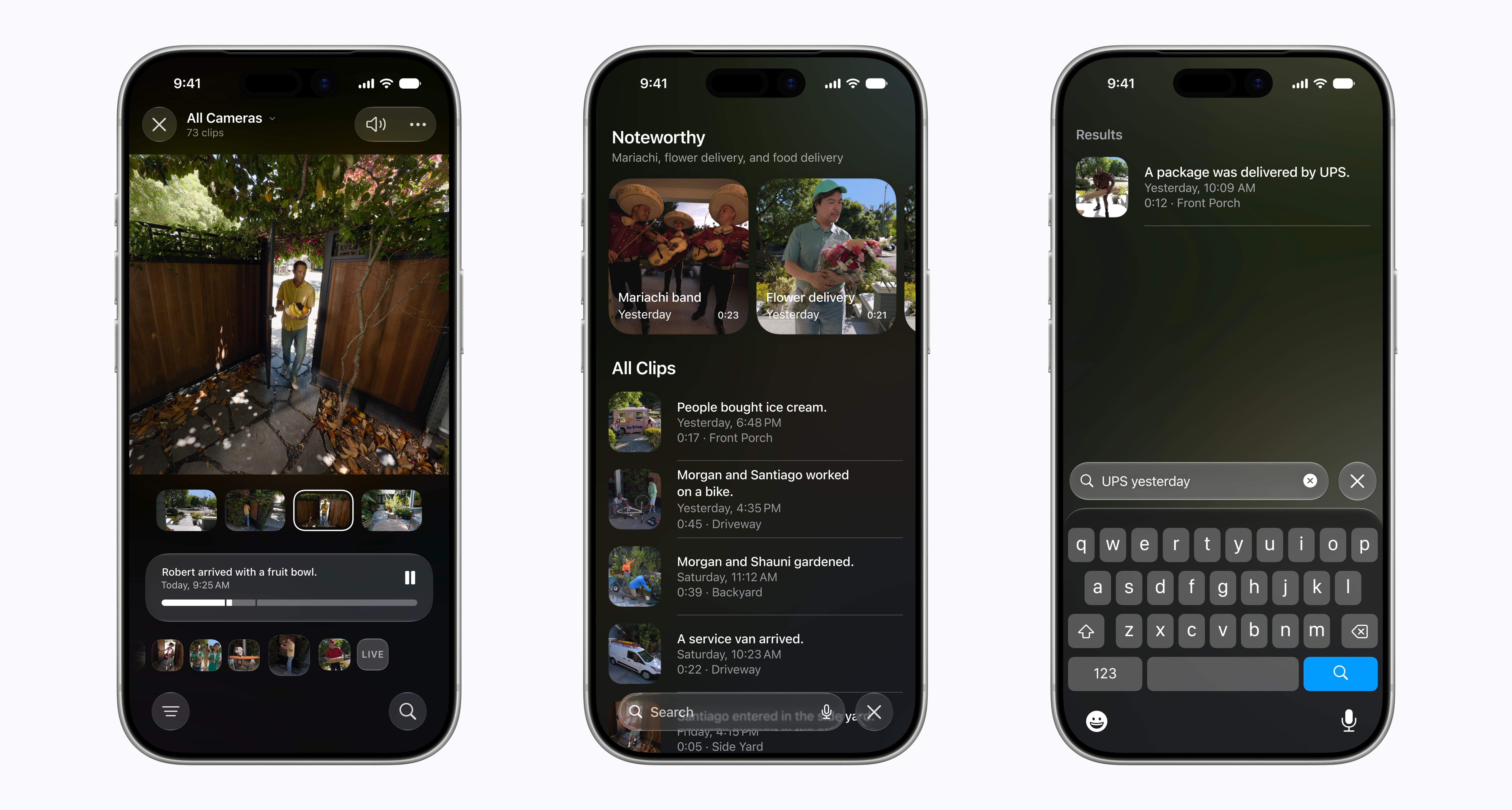
In Home, the app understands clips from your cameras and generates automatic descriptions—a package arrived, someone came through the door—and condenses notifications so a doorbell or pet feeder doesn’t trigger hundreds of alerts.
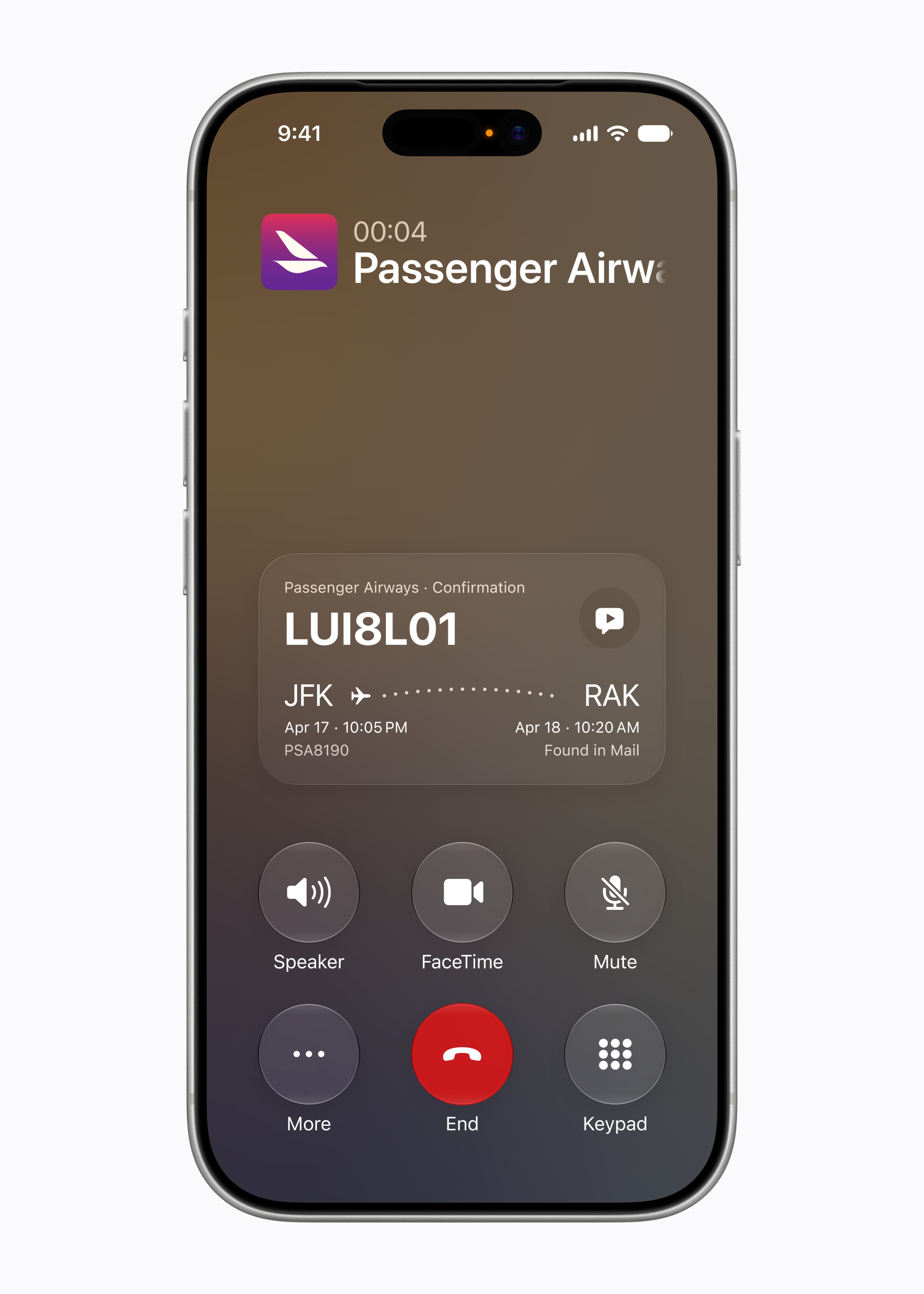
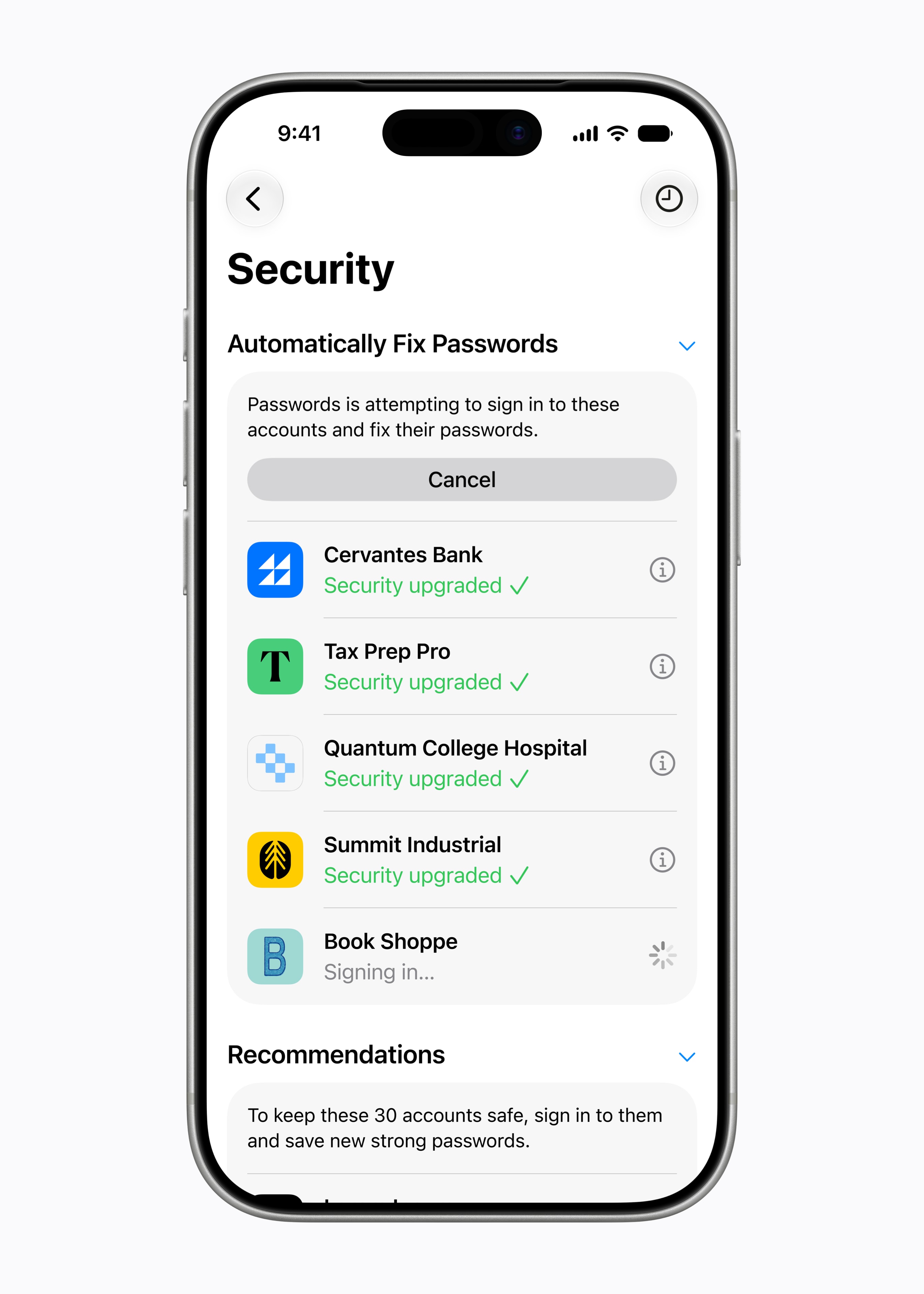
Mail and Messages understand the context of your conversations and suggest actions, and the Phone app pulls a confirmation code from your email right when you need it during a call. The most useful security feature went almost unnoticed: automatic password updating, which detects compromised credentials, logs into each account, and changes them to secure ones with a single tap.
iOS 27 strengthens family tools, relying on recommendations from the American Academy of Pediatrics. Child accounts come with age-based restrictions: parents choose which apps are available, assign screen time by category, and in Safari, children under 13 have to request permission before entering a website. Apple is also opening APIs so developers can integrate these controls into their own apps.

iOS 27 maintains broad compatibility: it updates devices starting with the iPhone 11 and the second-generation iPhone SE, keeping 2019 hardware alive. But updating and getting Apple Intelligence are two different things: for the new Siri and the rest of the AI features, you need at least an iPhone 15 Pro.
iOS 27 rolls out to the public in September, alongside the new iPhones, following Apple’s usual schedule. Until then, there is a developer beta and, starting in July, a public beta for anyone who wants to try it. The update is free for all compatible models. Siri AI, however, arrives later: its beta starts at the end of the year, first in English.
iOS 27 has a clear identity: fixing what iOS 26 had broken. The performance work is real and, for once, it is the feature that reaches everyone equally, from the iPhone 11 to the 17 Pro. The AI side is the most ambitious, but also the most uneven: the best features are reserved for newer models and, for those of us who speak Spanish, still have no date. If you have a recent iPhone, the wait for Siri AI will matter; if you have an older one, the speed boost alone already justifies updating.
No comments yet. Be the first!


