MacBook Ultra: Apple Splits the Lineup with OLED, Touchscreen, and a 2nm M6
Gurman and Macworld agree: the next OLED MacBook with a touchscreen and 2nm M6 will be a new tier above the Pro, not its successor.
1 May 2026
Index
$599. The same A18 Pro chip found in the iPhone 16 Pro. And a 6 out of 10 iFixit repairability score, the highest for a MacBook since 2012. Having all three in the same product is what makes the MacBook Neo interesting, and also explains why it is the most strategic Mac Apple has launched in years.
Imagen: Zach Griff - @ZachGriff.
What the MacBook Neo is
Apple introduced the MacBook Neo on March 4 and released it on March 11, 2026. It is the company’s first laptop with a sub-$1000 base price: it starts at $599, rises to $699 with 512 GB and Touch ID, and the education channel brings it down to $499. It is not a discounted MacBook Air or an M1 refresh. It is a new product, with its own place in the lineup.
Imagen: Zach Griff - @ZachGriff.
What enables that price is a chip decision. Instead of using a discontinued M-series chip, Apple chose the A18 Pro, the same SoC from the 2024 iPhone 16 Pro, with one fewer GPU core. The thesis behind it is not maximum performance per dollar: it is an inexpensive gateway to macOS for students, first-time laptop buyers, and users coming from Windows who could never justify $1100. Tim Cook confirmed that launch week delivered the highest number of new Mac buyers in the company’s history.
Design and colors
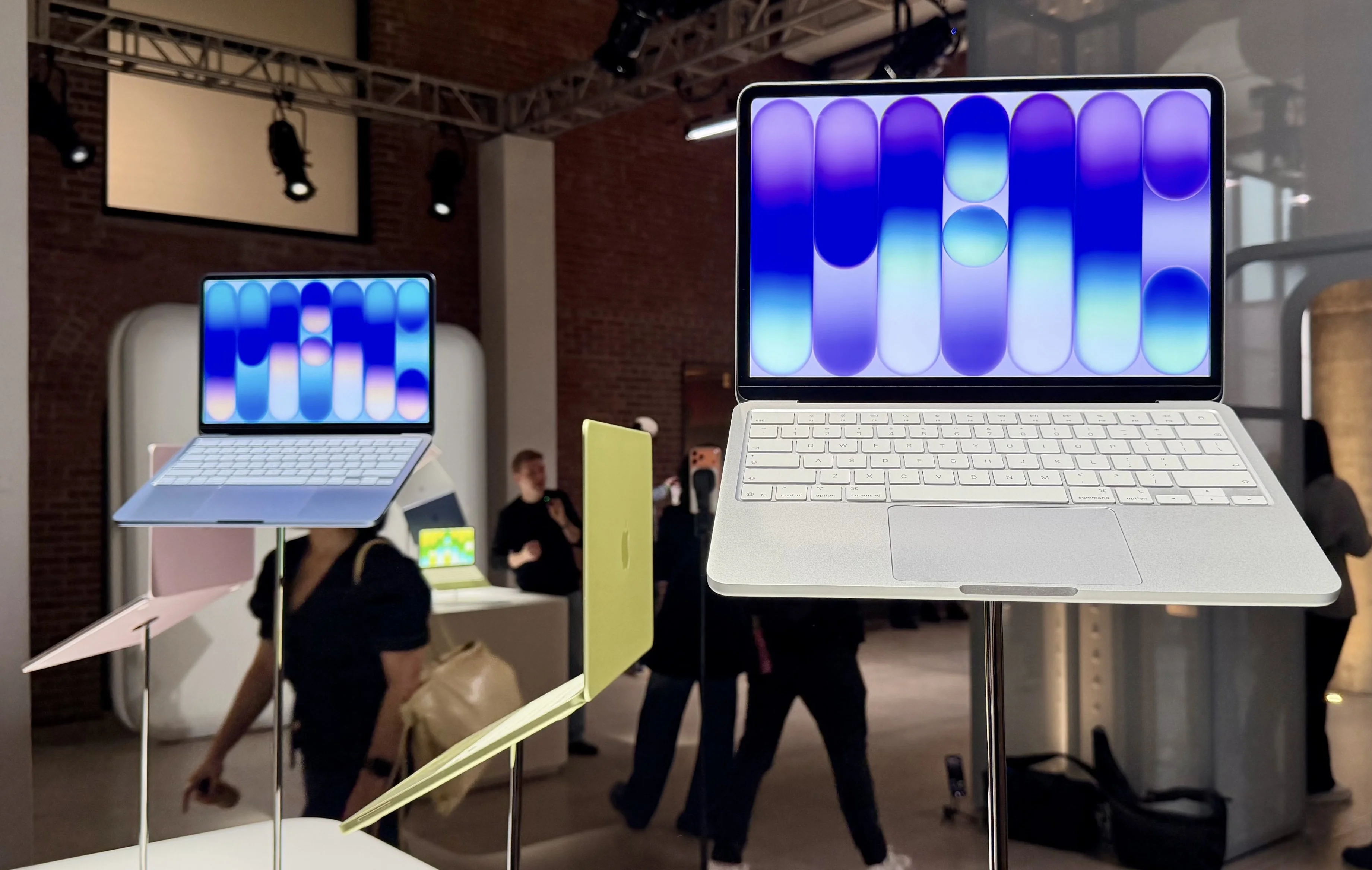
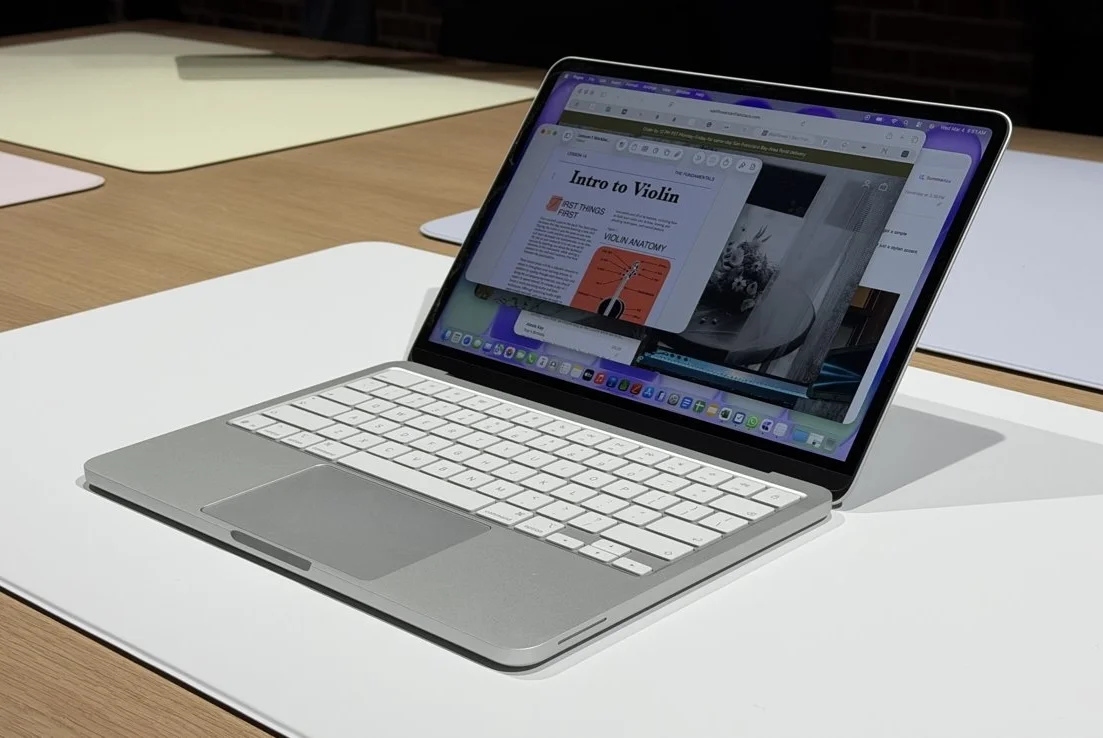
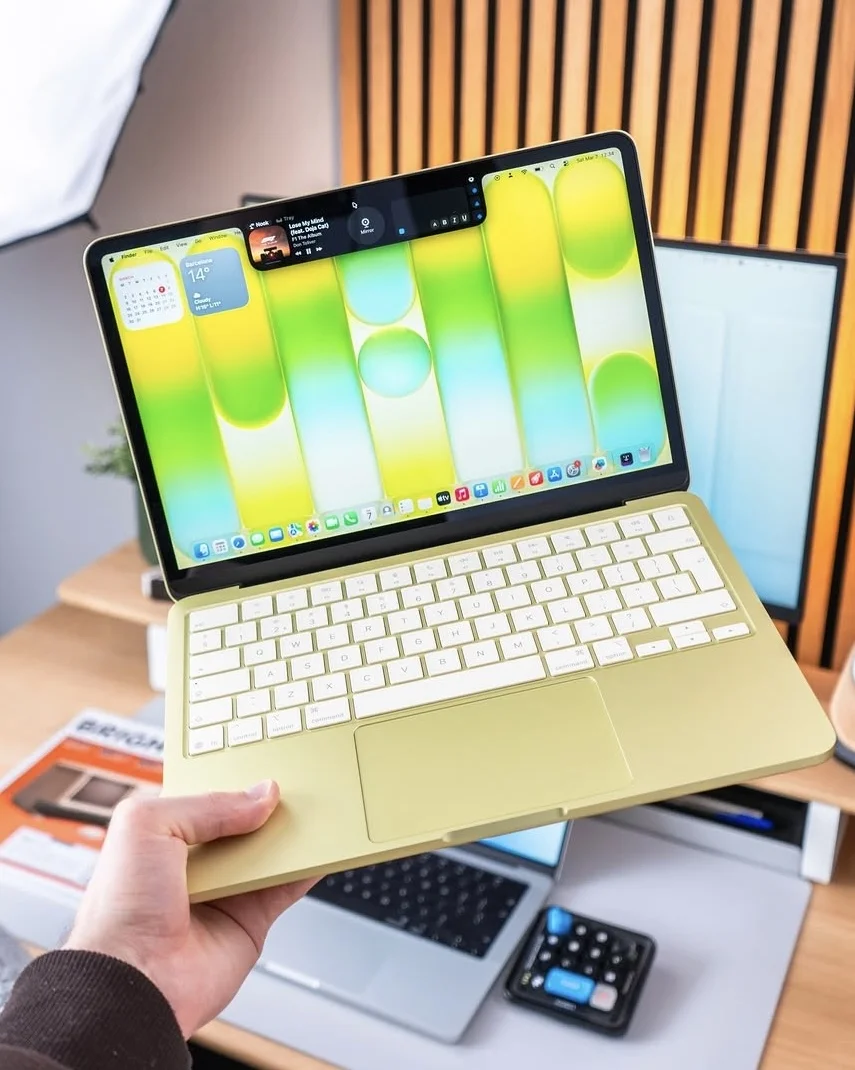
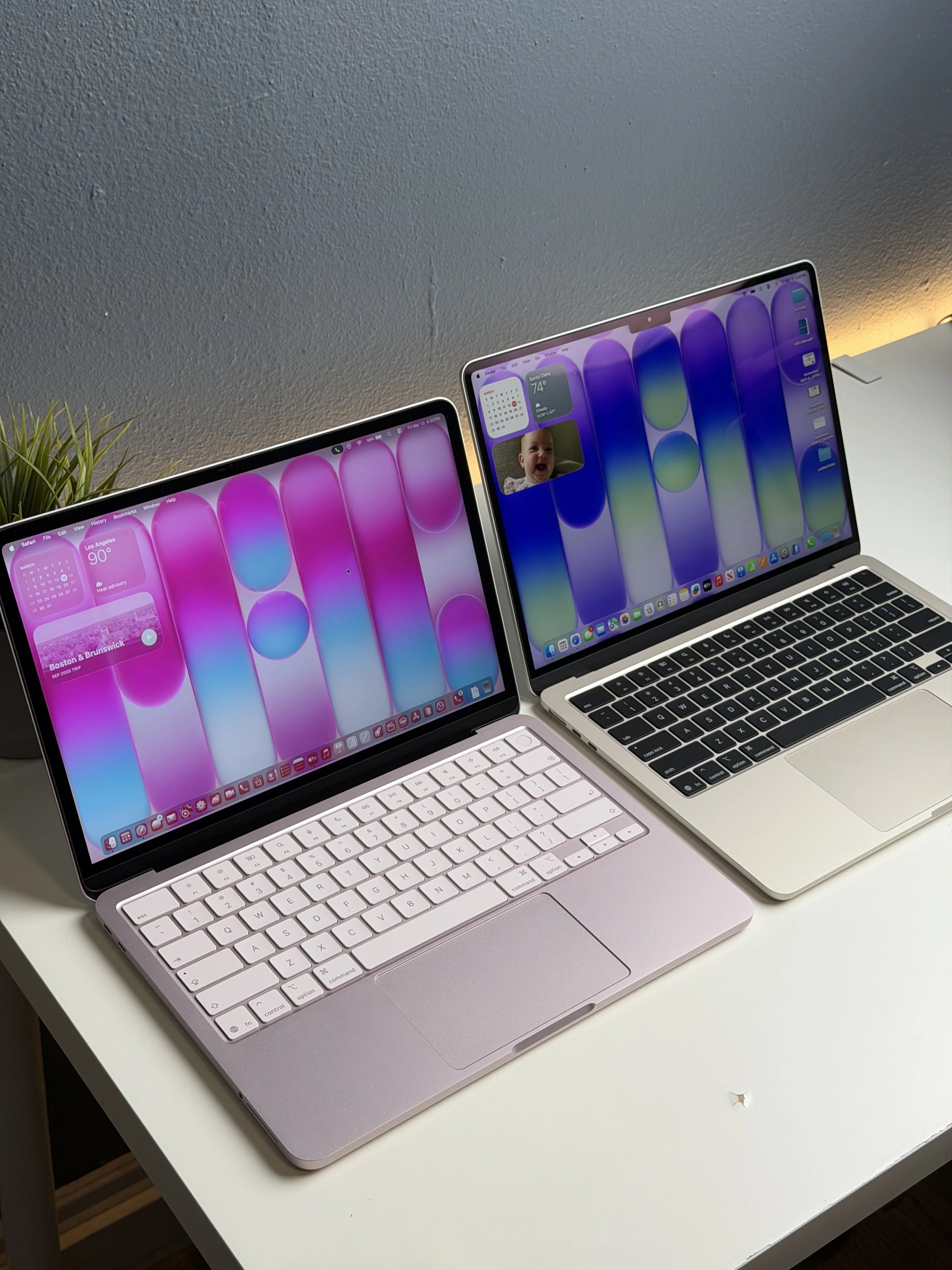
On a desk, the Neo looks like a MacBook Air. Same weight (1.22 kg), similar dimensions, though slightly thicker, same unibody aluminum chassis. Two visible things change: the logo is anodized aluminum instead of mirror-polished, and there is no notch. Less obvious but important: recycled aluminum reaches 60% by weight, an Apple record across any of its products.
MacBook Neo
La MacBook más barata de la historia de Apple, con A18 Pro, 8 GB de RAM, chasis de aluminio reciclado al 60% y el score de reparabilidad más alto en una MacBook desde 2012.
Cámara frontalFaceTime HD 1080p con beamforming de dos micrófonos
Batería36,5 Wh, hasta 16 h (Apple); 13 h 28 m en test real (Tom's Guide)
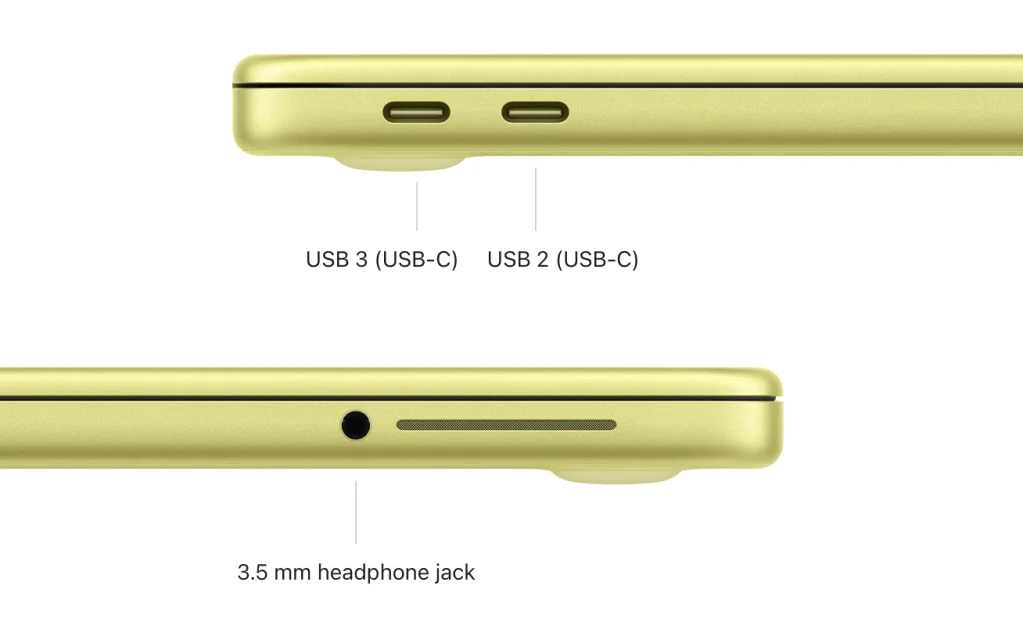
Conectividad2× USB-C (uno USB 3 10 Gbps con DisplayPort, uno USB 2 solo carga), jack 3,5 mm
InalámbricoWi-Fi 6E, Bluetooth 5.3
SistemamacOS Tahoe 26.3 al lanzamiento
BiometríaTouch ID (solo en modelo de $699 con 512 GB)
ChasisAluminio reciclado al 60%
Peso1,22 kg (2,7 lb)
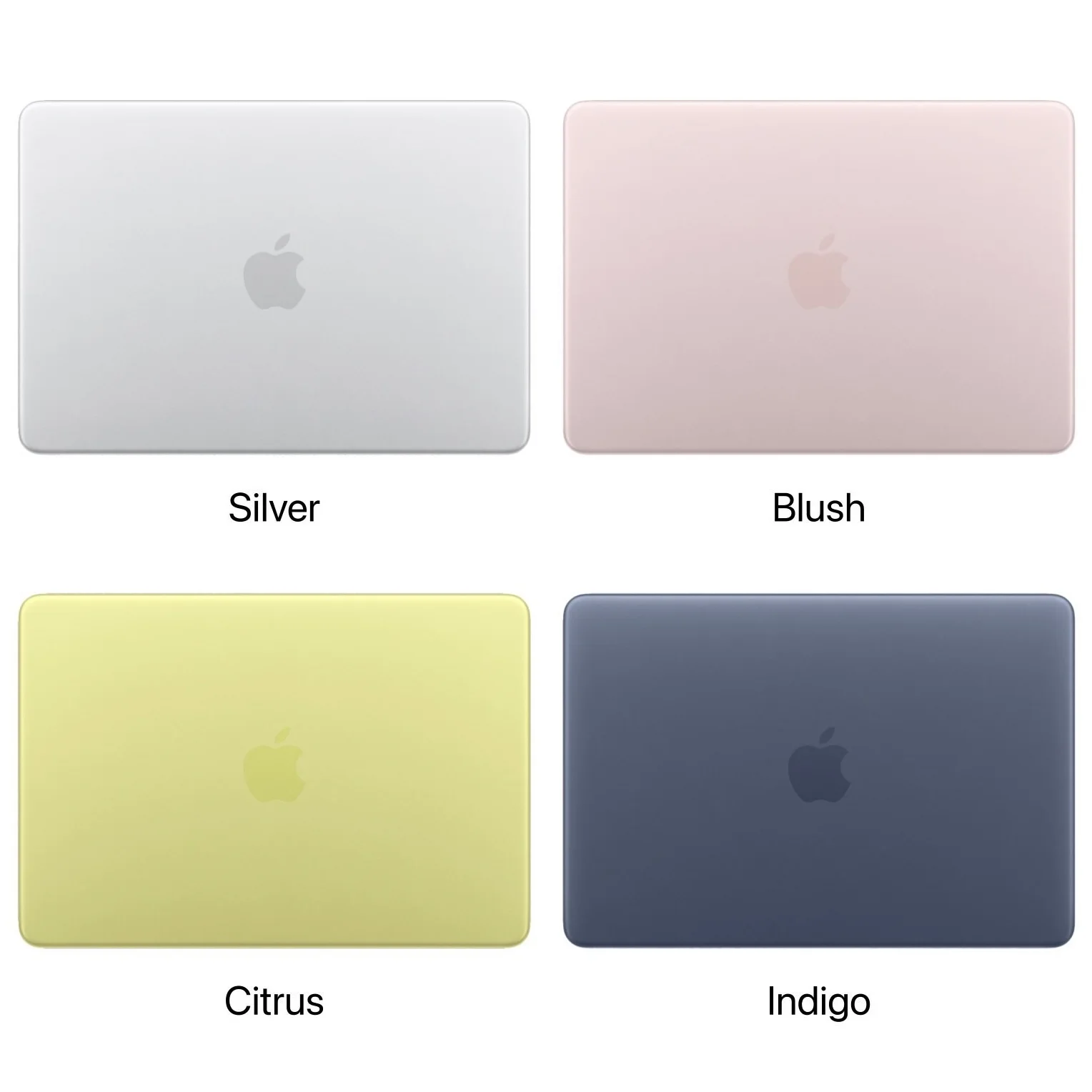
ColoresSilver, Blush, Citrus, Indigo
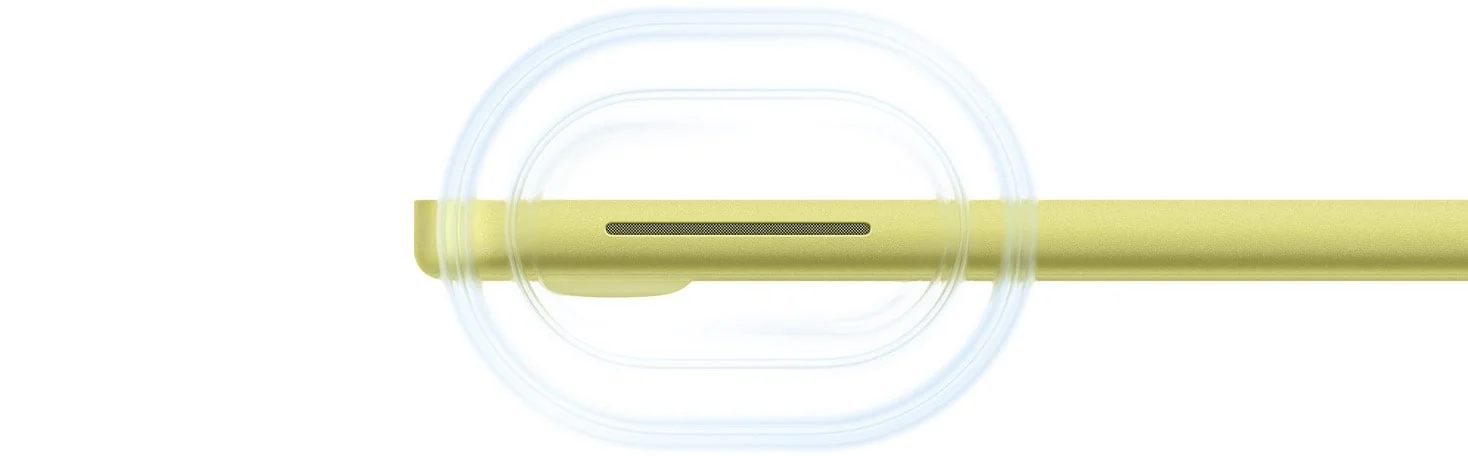
AudioSide-firing con Dolby Atmos
Pros
Precio inédito: $599 cambia de era para Mac ($499 en canal educación).
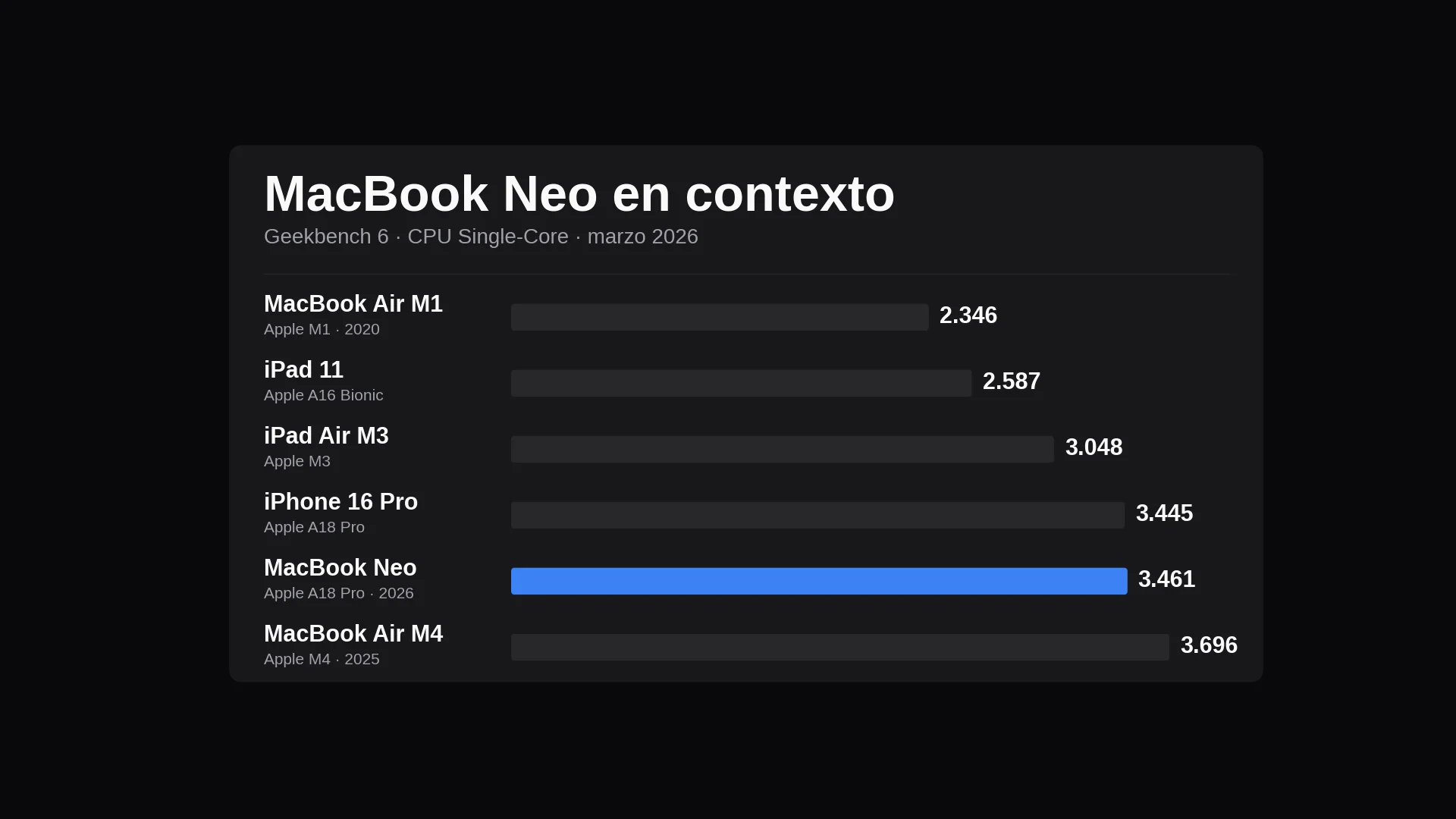
A18 Pro con single-core por encima de M1, M2 y M3, a 6% del M4.
Reparabilidad récord: batería atornillada sin adhesivo, puertos USB-C modulares y teclado reemplazable sin tocar el top case.
Chasis de aluminio reciclado al 60%, 2,7 lb, en cuatro colores con teclado a juego.
Audio side-firing con Dolby Atmos desproporcionadamente bueno para el precio.
Cons
8 GB de RAM soldados, sin camino de upgrade.
Uno de los dos USB-C es USB 2 (480 Mbps, sin salida de video).
Sin MagSafe ni teclado retroiluminado.
Sin Touch ID en el modelo base de $599.
Pantalla sin P3 ni True Tone: primera Mac en años sin True Tone.
Editorial Disclosure
Información basada en especificaciones oficiales y fuentes técnicas independientes (iFixit, Tom's Guide, MacRumors). El autor no tuvo acceso físico al producto para este reporte.
We review the new iPhone Air. Apple redefines portability with aerospace-grade aluminum, the A19 Pro chip, and surprising battery life in an ultrathin body.
Asus challenges Apple with the Zenbook A14. An ultrabook with Snapdragon X, a 120Hz OLED display, and battery life beyond the MacBook Air M3.
8 April 2025
Imagen: Zach Griff - @ZachGriff.
Imagen: Apple.
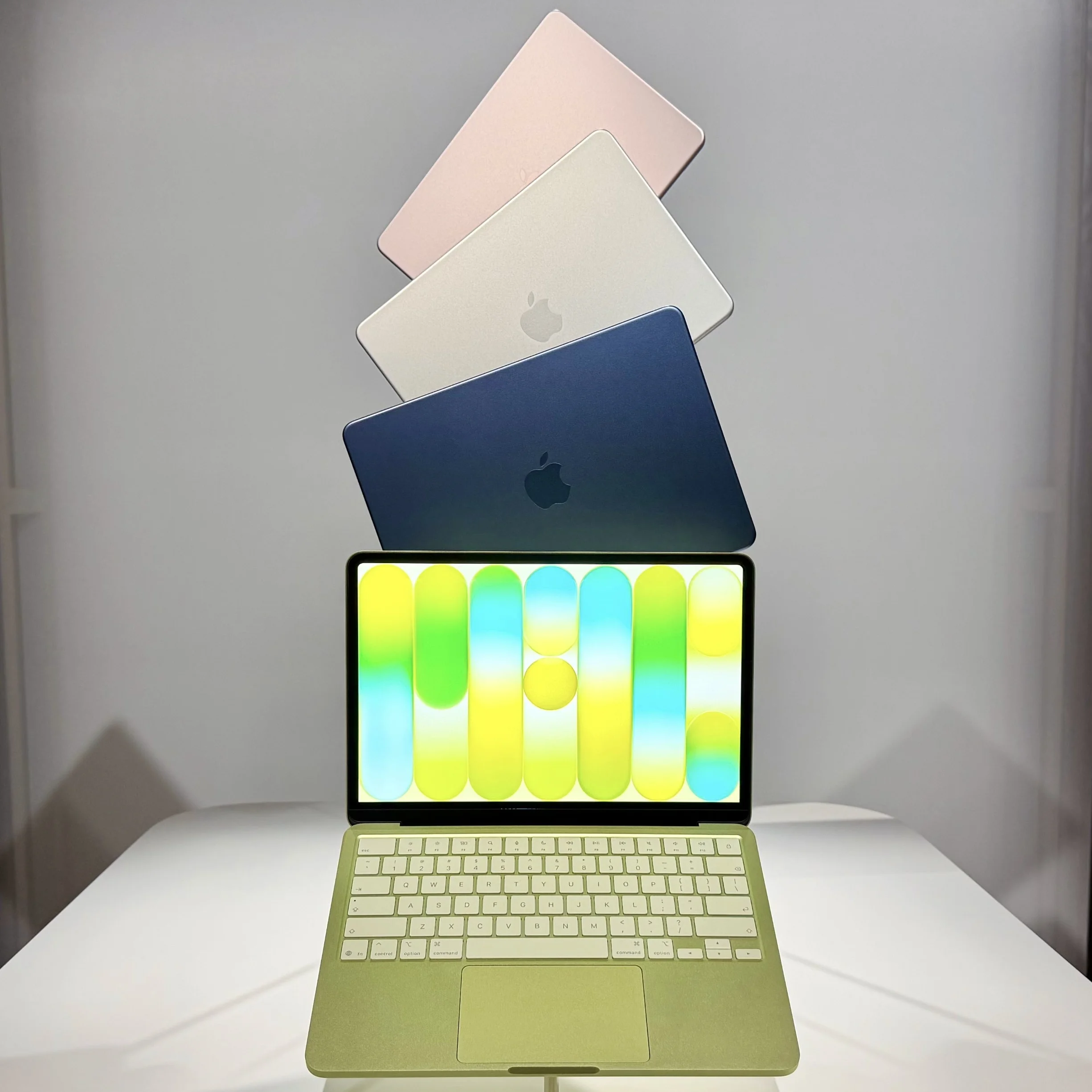
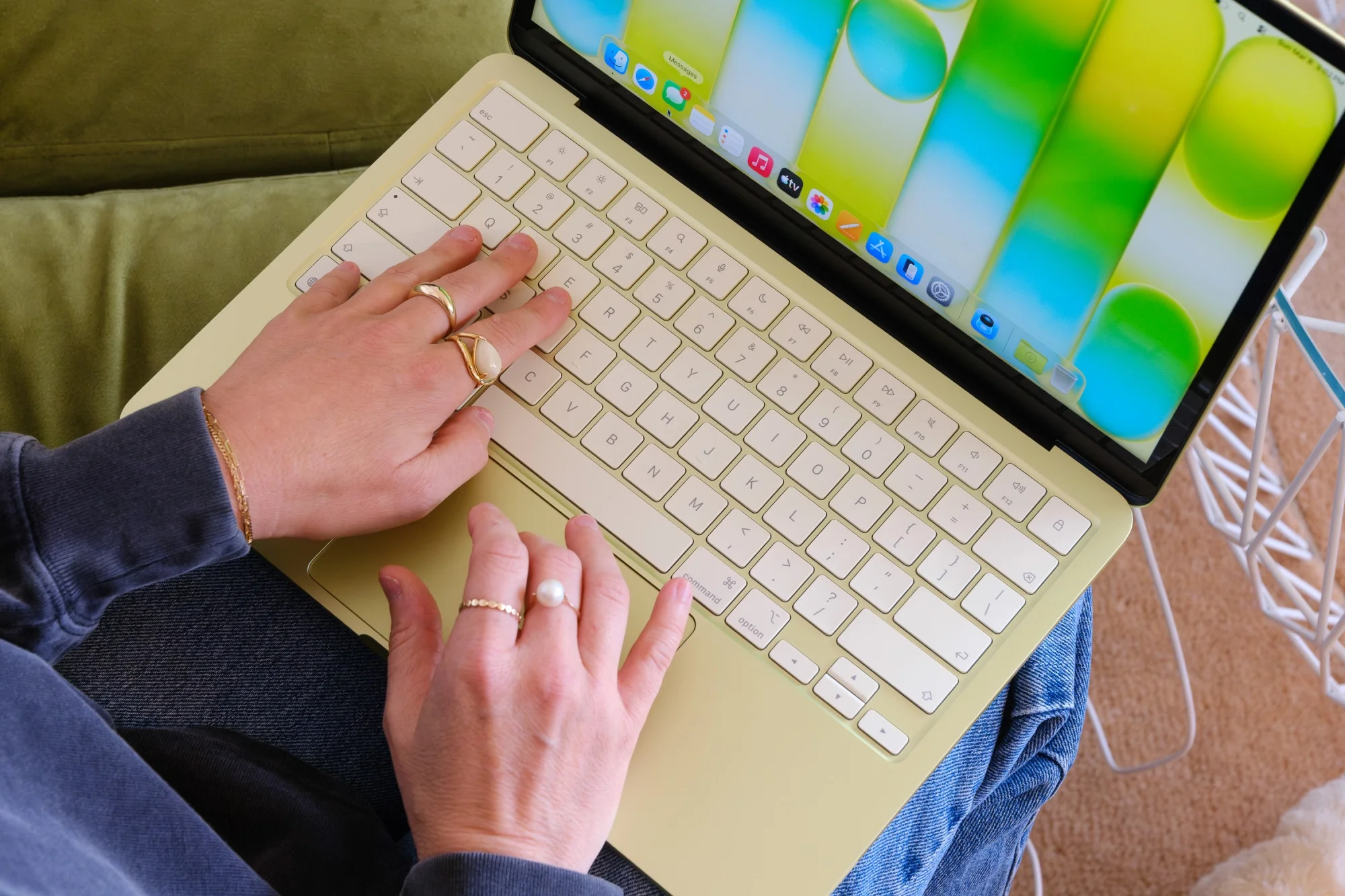
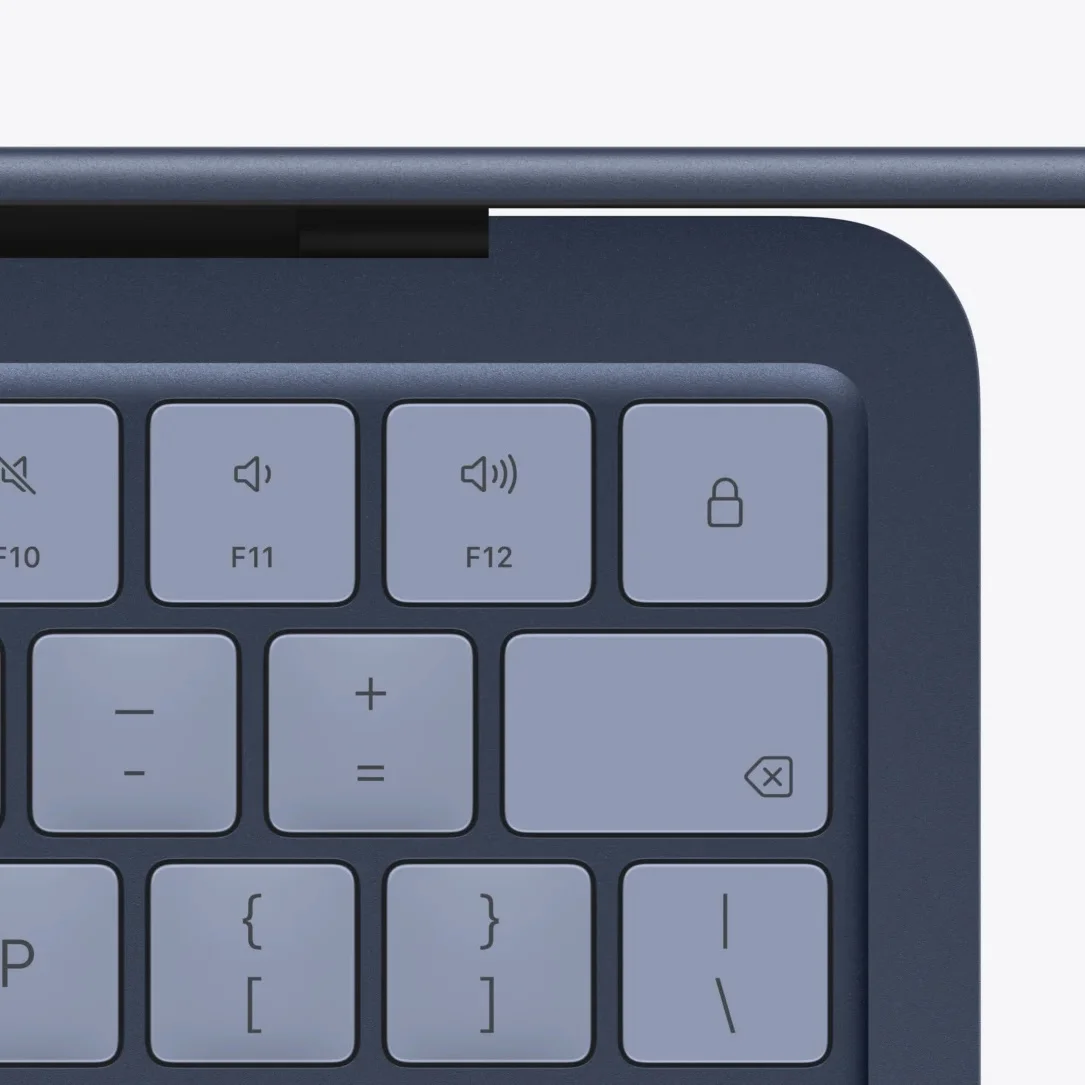
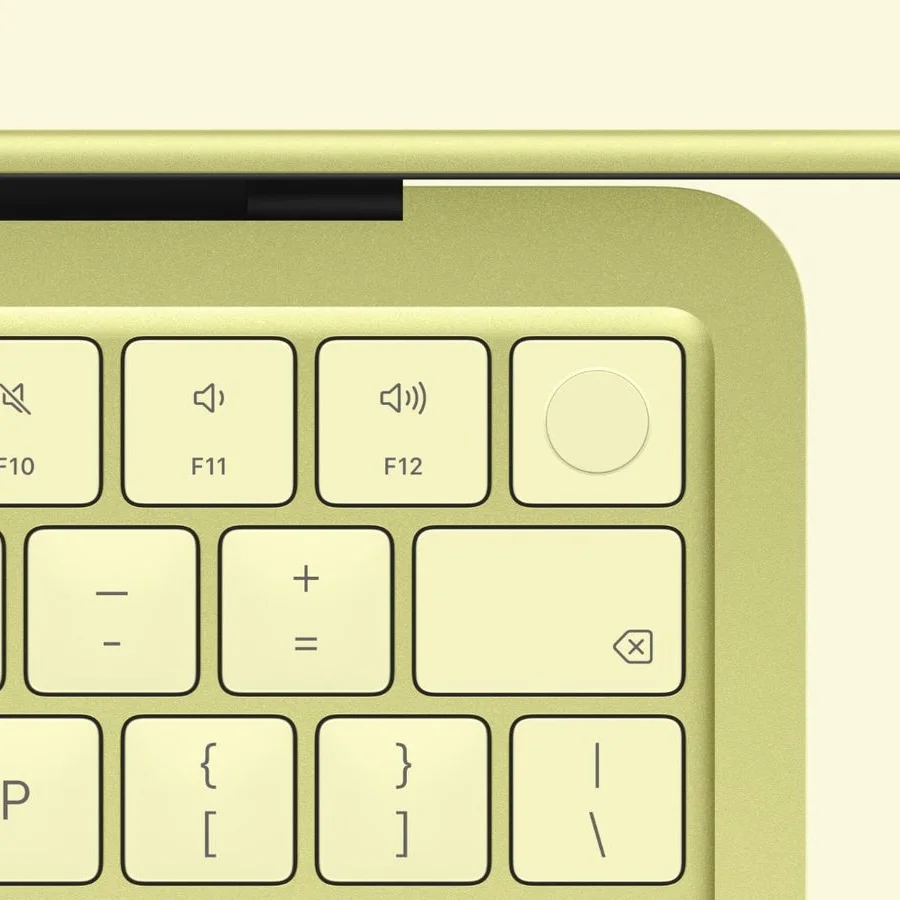
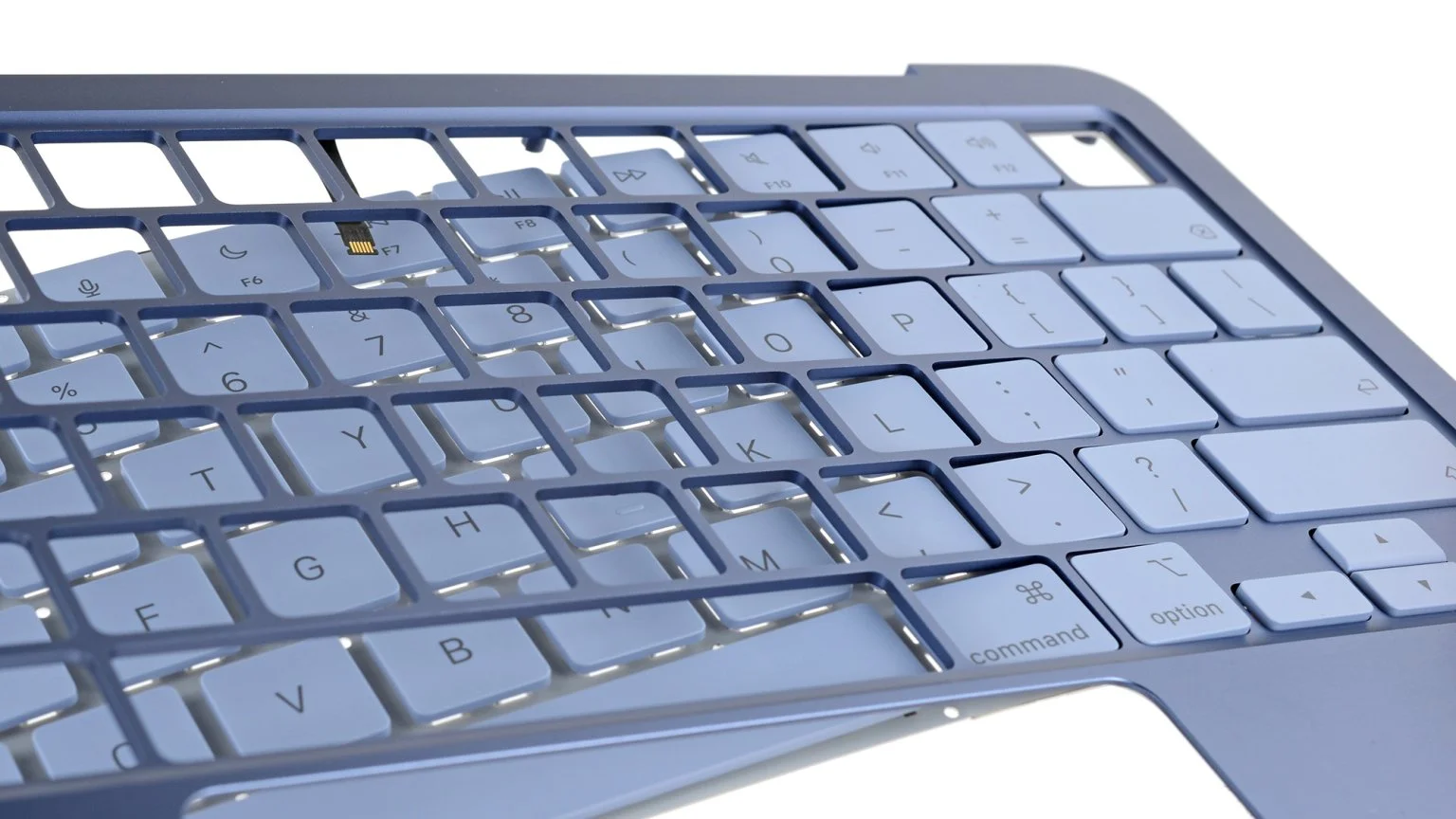
Then come the colors. Silver keeps the classic line; Indigo is a dark blue; Blush is a pale pink; Citrus is a bright yellow Apple had not used since the tangerine iBooks. In every case, the keyboard is color-matched to the lid, and visually that is a strong decision: the color does not stop at the chassis, it takes over the work area.
Citrus was the public face of the review cycle — almost every cover, almost every viral photo. According to preorder data mentioned in interviews, it is the most requested color. That is no accident: the Neo targets a younger buyer than the Air, and Citrus is the color that most quickly communicates “this is not your dad’s laptop.”
Imagen: Alfin - @AlfinCodes.
Imagen: Bloomerang.
Keyboard, trackpad, and Touch ID
The Magic Keyboard types well, with firm travel and feedback that feels more direct than mushy. What is missing is significant: there is no backlighting. In a laptop whose target audience includes students taking notes at night, that will be felt. It is the most visible cost compromise in the input area.
The trackpad is the first mechanical one in a MacBook since 2015. Without a Taptic Engine, it physically clicks by moving the entire piece. It remains clickable across the full surface, but Force Click, haptic feedback, and pressure sensitivity are gone. For most people it will not matter; for someone coming from a MacBook Pro, it is noticeable on day one.
Imagen: Apple.
Imagen: Apple.
Touch ID marks the split between models. The $599 version does not include it; the $699 version adds the sensor, biometrics, and doubles storage to 512 GB. But there is a detail almost no review addressed: iFixit confirmed that swapping Touch ID modules between two different Neos works with proper calibration through Repair Assistant. Parts pairing, which until now blocked repairs even with OEM parts, is resolved on the Neo. We will return to that point later.
Display
13-inch Liquid Retina IPS, 2408 × 1506 at 219 ppi, 500 nits. In real-world use, it delivers: sharp text, vivid colors, good performance under ambient light. What Apple removed matters: there is no P3 wide color gamut and no True Tone — the first Mac in years without True Tone. For browsing, text, and video, it makes no difference. For designers or color editors, it is a deal-breaker.
Ports, speakers, and charging
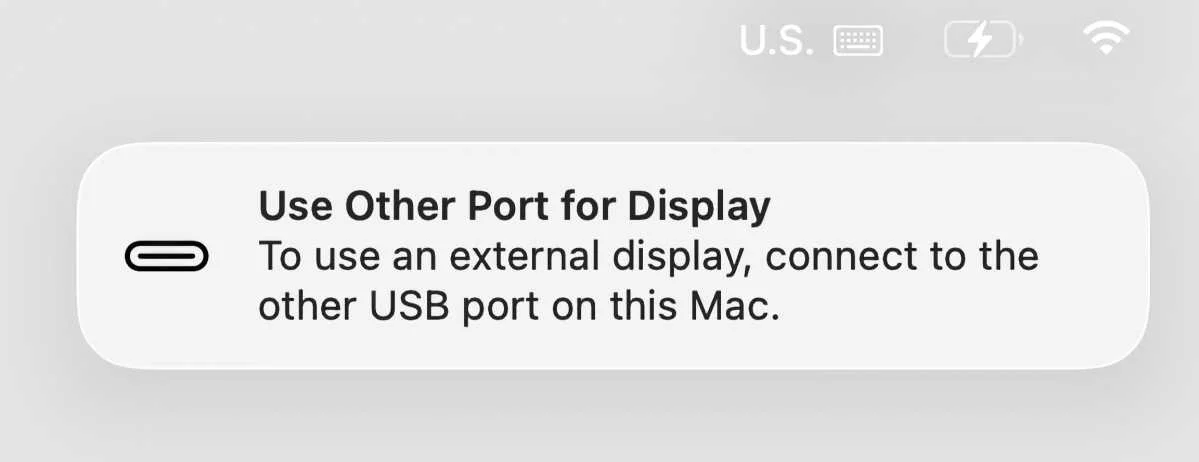
Two USB-C ports and a 3.5 mm jack. The odd part: the two USB-C ports are not equivalent. One is USB 3 (10 Gbps, DisplayPort, charging) and the other is USB 2 (480 Mbps, charging only, no video output). If you plug a monitor into the wrong port, macOS warns you with a notification; if you connect an SSD to the USB 2 port, you will wonder why Blackmagic reports 40 MB/s. It is the kind of detail that does not show up on the spec sheet.
Imagen: Macworld.
Imagen: Apple.
Imagen: Apple.
There is no MagSafe, a decision that hurts given that the target market includes backpacks and classrooms. The included charger is a 20W USB-C unit (except in the UK and EU, where it is sold without a charger due to regulation). Audio, by contrast, is the most disproportionately good part of the product: the side-firing speakers with Dolby Atmos sound better than anyone expects from $599 — the unanimity among reviews on this point is rare.
A18 Pro: the iPhone chip inside a Mac
The question every reviewer asked was whether a mobile chip can perform well on the desktop. The short answer: for most tasks, yes; for professional workloads, no.
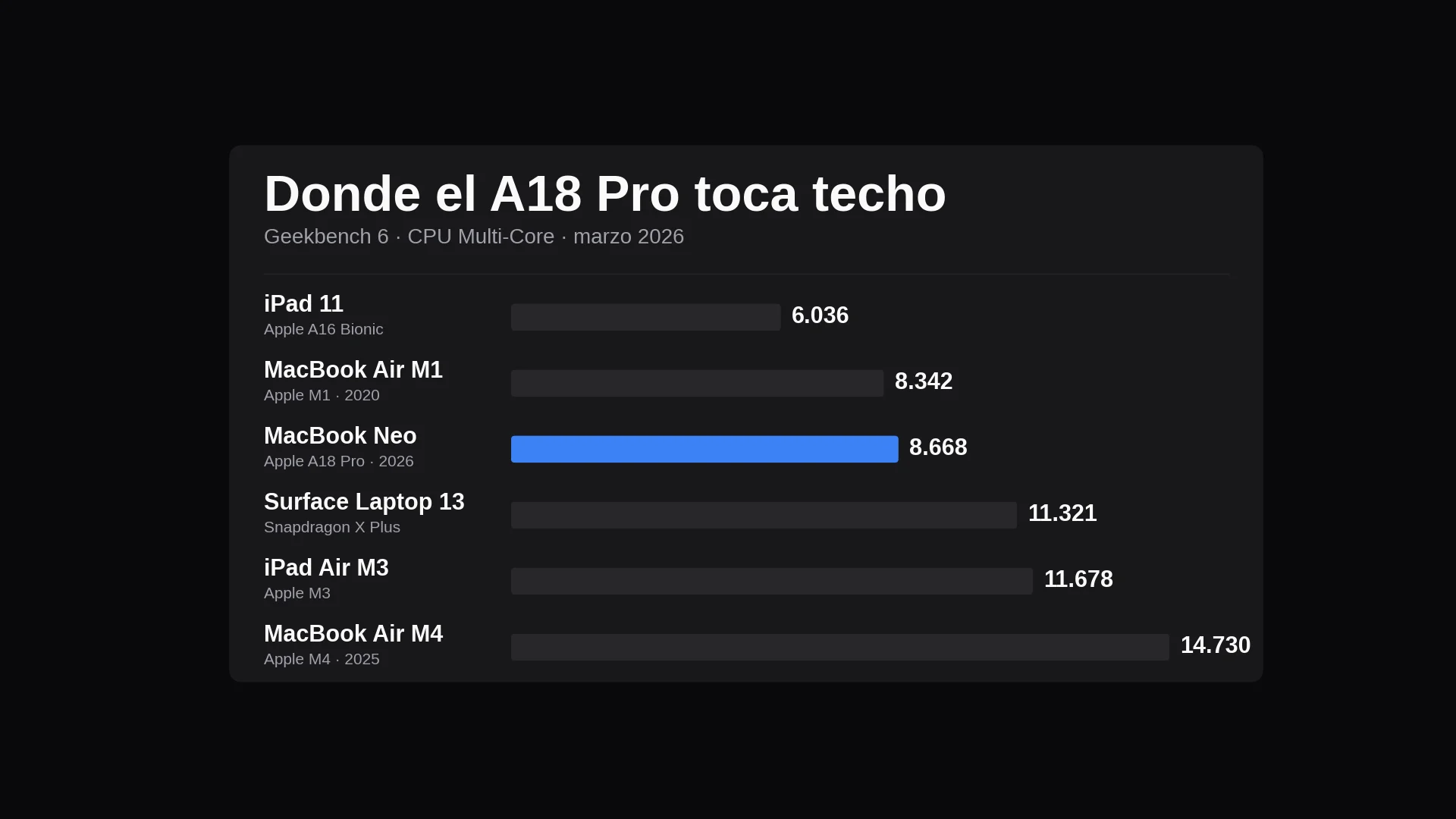
In Geekbench 6, the Neo scores 3461 in single-core. It beats the M1, M2, and M3, and lands within 6% of the M4 in the current Air. In multi-core, it scores 8668: on par with the M1, well below the M3 or M4. In Metal GPU performance, it also behaves like an M1.
Imagen: Silikode.
Imagen: Silikode.
Outside synthetics, the reality is more nuanced. Safari with ten tabs, Slack, Notion, Pages, and the typical productivity combo: zero lag, no visible swap, battery that lasts. In Handbrake transcoding 1080p, the Neo took 9 min 57 sec (Tom's Hardware) versus 5 min for the more expensive Surface Laptop 13. In Xcode compiling a large codebase: 6 min 47 sec. You can do all of that; you simply have to wait longer.
Model
Chip
GB6 single
GB6 multi
Metal
Base RAM
Battery test
Base price
MacBook Neo
A18 Pro
3461
8668
31286
8 GB
13h 28m
$599
MacBook Air M1 (2020)
M1
2346
8342
33148
8 GB
~15h
$999
MacBook Air M4
M4
3696
14730
54630
16 GB
15h 13m
$1099
Surface Laptop 13
Snapdragon X Plus
~2420
11321
—
16 GB
17h 14m
$899
The real bottleneck is not the chip. It is the 8 GB of unified memory, soldered, with no upgrade path — by design, the A18 Pro does not support more. For light use, it is enough; it starts to show when Lightroom Classic with large catalogs, virtual machines, or dozens of tabs with Electron apps enter the picture. That is where the Neo will age. Thermals, on the other hand, are handled well: fanless, cool chassis even under extended Cinebench. Battery: 13 h 28 min in Tom's Guide testing (Apple’s claim is 16 h).
Repairability: where Apple played a different card
This is where the Neo separates itself from the rest of the Mac lineup. iFixit gave it a 6 out of 10, the highest score for a MacBook since 2012. For context: the MacBook Air M4 scores a fraction of that; AirPods go to 0; the iPhone 17 Pro is at 7.
Imagen: iFixit.
Imagen: iFixit.
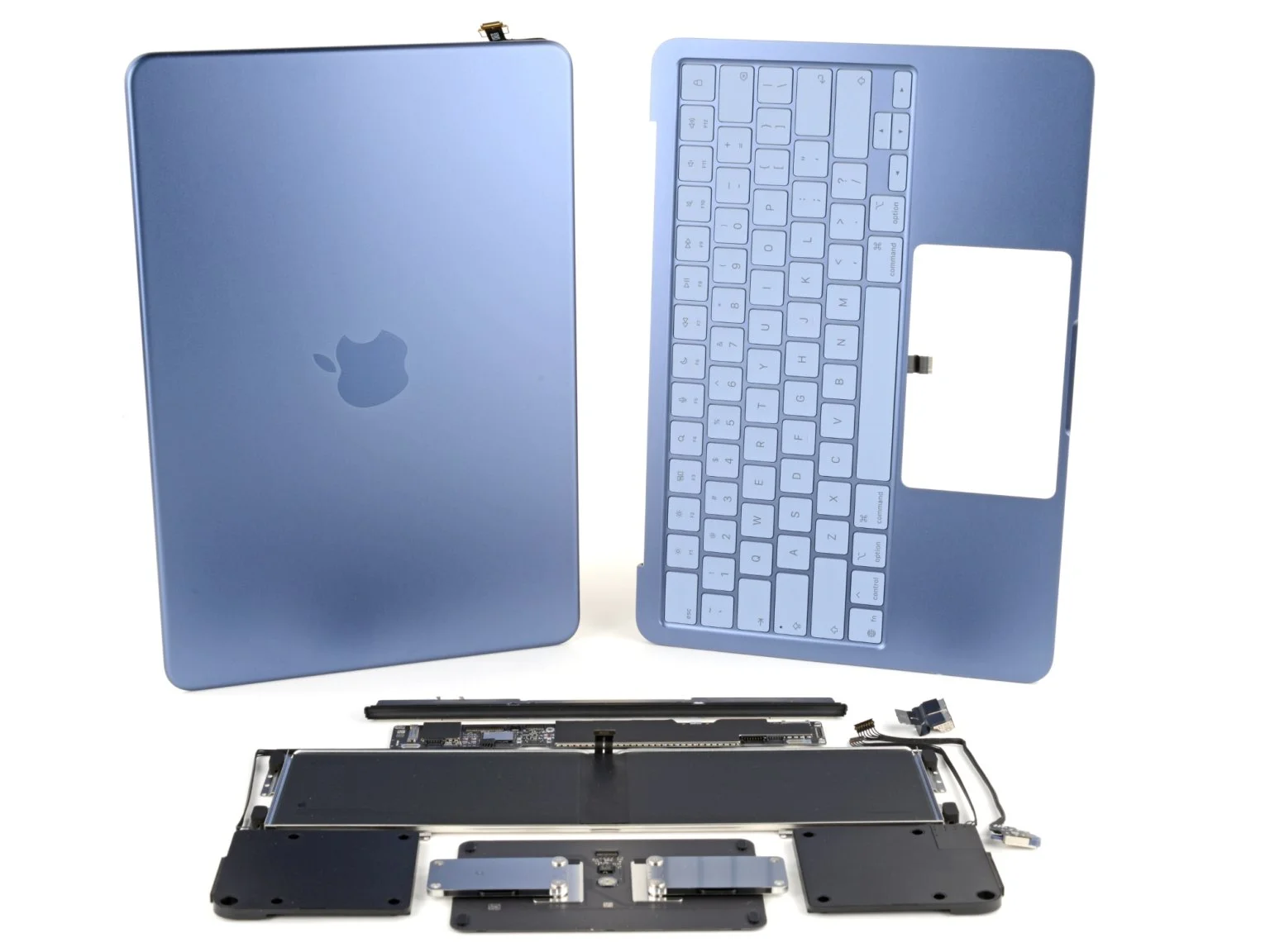
The broad numbers: eight pentalobe screws to open the base (still annoying), but once open, the cover releases by hand — no heat gun, no picks, no perimeter prying. Inside, the components are laid out flat: speakers, USB-C ports, trackpad, logic board, and display can be accessed without removing something above them.
The battery is the biggest cultural shift. For years, MacBook Pro and Air models have used batteries glued in with stretch-release adhesive strips that frequently break even for experienced teardown specialists. The Neo has a 36.5 Wh battery held by 18 screws and no glue. Replacing it is no longer a risky operation.
The USB-C ports are modular: if one breaks (something that happens in education with kids plugging cables in incorrectly), only the port is replaced, not the entire logic board. On the MacBook Air, that would mean a board replacement costing several hundred dollars. The keyboard is also removable: 41 screws, but no need to replace the machined top case, which in the Air is riveted to the structural chassis.
And the most important detail: parts pairing, the long-standing complaint from authorized technicians, is resolved. iFixit swapped Touch ID modules between two different Neos and calibration through Repair Assistant worked. It swapped displays, and the green webcam activation dot appeared before even running Repair Assistant.
What remains soldered: RAM and SSD. There is no upgrade path, and Apple did not promise there would be one.
Taken together, the strategic read is clear. This is not philanthropy. It is a bet: that the Neo will have fewer warranty claims, lower ecosystem churn (a cracked screen after 18 months does not end with “I’m buying a Windows laptop”), and a longer useful life in the education channel, where fleets are maintained for three or four years. Viewed as a five-year project rather than an individual product, it makes all the sense in the world.
Who it is for (and who it is not for)
Clear target: first Mac, students, families that do not want to commit to $1100, users coming from Windows, professionals looking for a lightweight second machine.
Imagen: MacRumors.
Imagen: MacRumors.
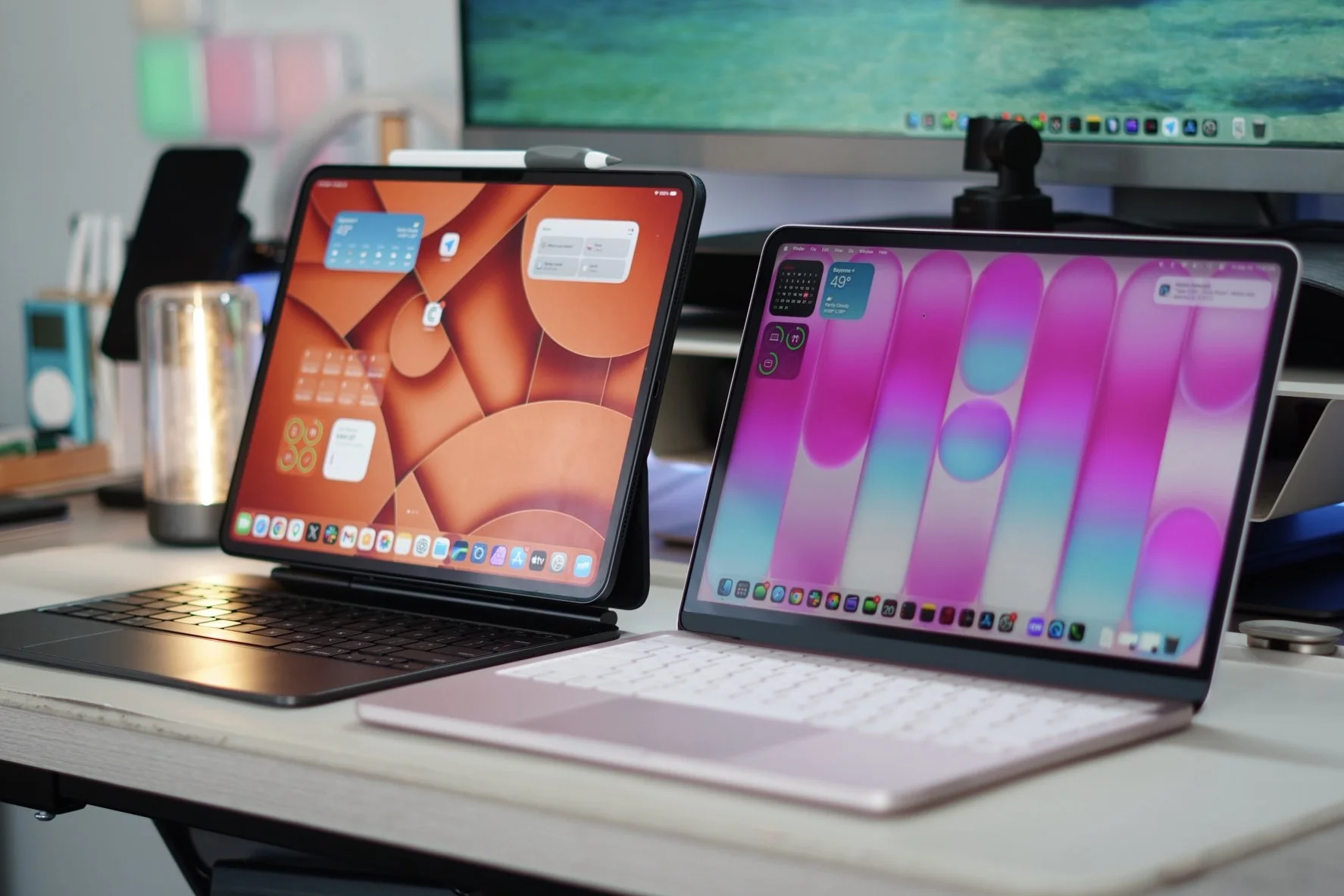
Who it is not for: creatives who need P3 and True Tone, devs who compile code intensively, 4K or 8K video editors, power users with virtual machines or local AI models. All of them are better served by the MacBook Air M5 ($1099, 16 GB base, Thunderbolt 4, P3, MagSafe) or directly by the Pro. In the same price range, the alternative is an iPad Pro with Magic Keyboard: it lands at a similar price, but iPadOS is still not macOS.
Conclusion,
The MacBook Neo is not the best Mac in the lineup. It is the most strategically important one Apple has released in years, and what makes it interesting is not the price in isolation: it is the price plus the repairability shift, plus the A18 Pro as a supply-chain decision, plus the four colors as a read on a new buyer.
What will age poorly: 8 GB of RAM in 2026 is tight. In 2028, with Apple Intelligence and increasingly heavy web apps, it will hurt. The $599 base model is hard to justify against the $699 version: one hundred dollars solves storage and biometrics at once, and that is the real sweet spot in the lineup. A Neo 2 with 12 or 16 GB is already the obvious product on the roadmap; this generation marks the inflection point, not the destination.