ASUS ROG Azoth: The Ultimate Gaming Keyboard?

Index
In recent years, mechanical keyboards have evolved from being simple peripherals to key pieces of productivity and personalization. Within this evolution, the ASUS ROG Azoth presents itself as an ambitious proposition aiming to cover everything: premium quality, design inspired by custom keyboards, and features focused on gaming as well as enthusiast use.
With a gasket mount, pre-lubricated and interchangeable switches, and a fully customizable OLED screen, the Azoth seeks to stand out in an increasingly demanding market. However, its price also places it in a higher league. Is it up to the expectations? In this article, we analyze if it truly is worth the cost, from the sound and feel while typing to the software and overall experience.
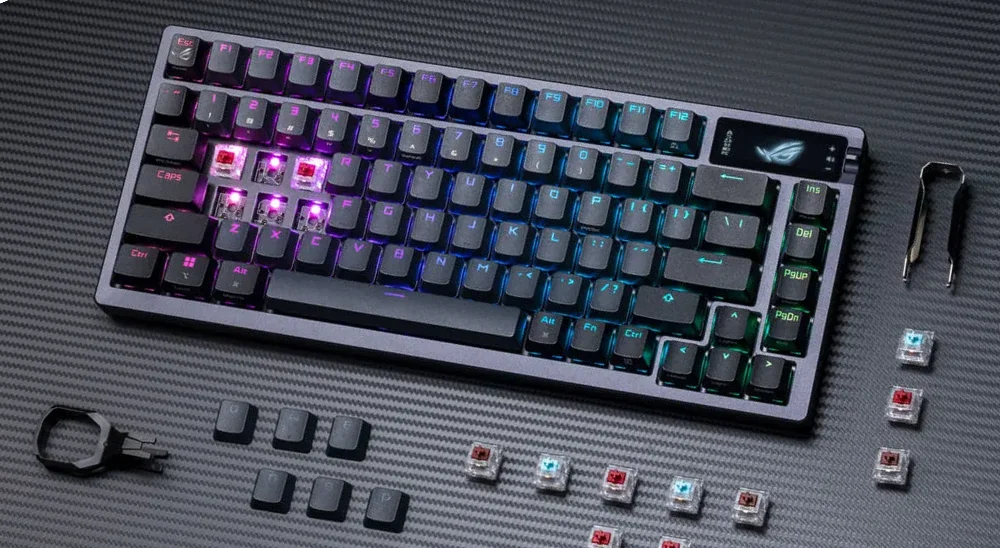
Premium Feel in Design and Build
The first standout feature of the ROG Azoth is its 75% size and build quality. ASUS spared no expense in materials: the body combines a thick plastic base with an aluminum alloy top cover, resulting in a compact, heavy, and well-assembled keyboard.
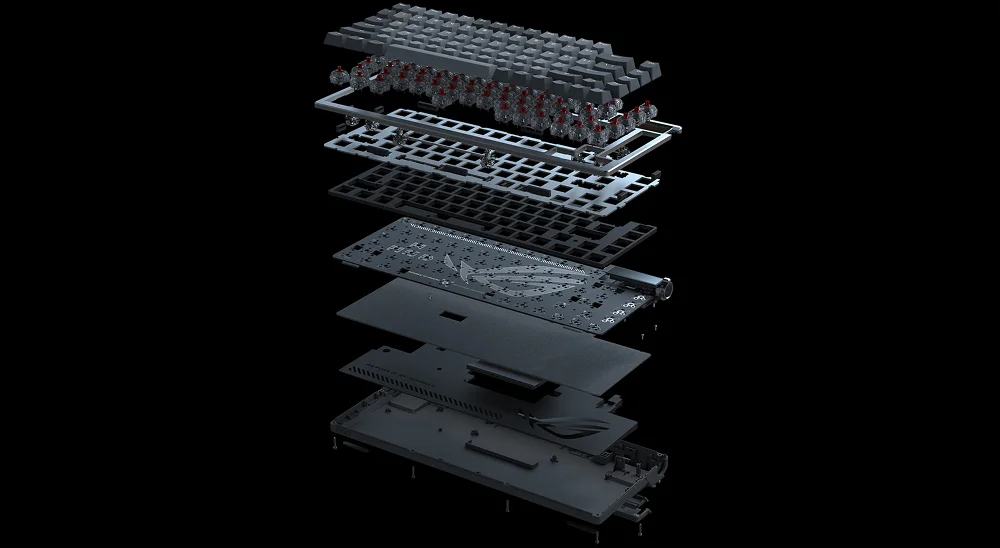
Unlike many gaming keyboards that go all-in on RGB, the ASUS ROG Azoth opts for a more sober, industrial aesthetic, with a design clearly influenced by the custom keyboard world. With its gasket mount and internal foam, it offers smooth, cushioned typing with a clean sound, way above what's usual in its range.
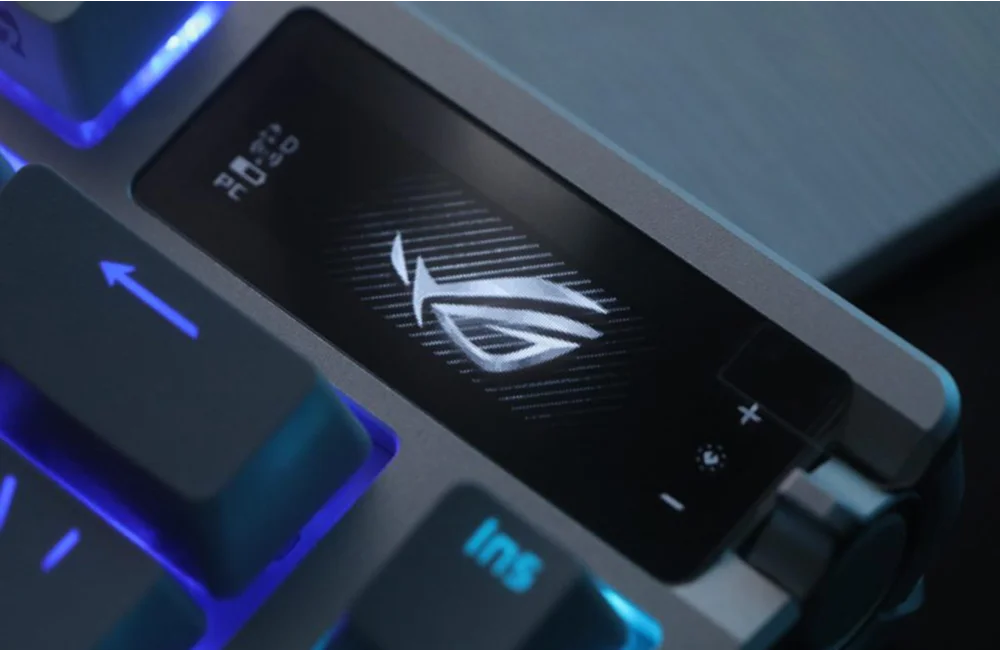
The construction is solid, with non-slip rubber feet and two-level tilt adjustment. It also includes a functional OLED screen displaying everything from active profiles to system stats or animations, all controllable via a fully customizable wheel and side button through the Armoury Crate software.
Switches and Typing Experience
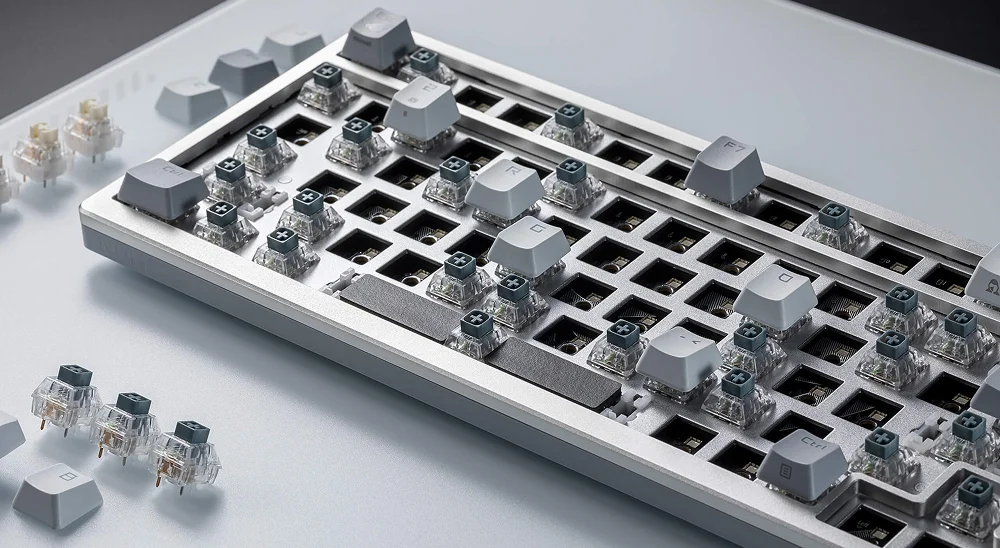
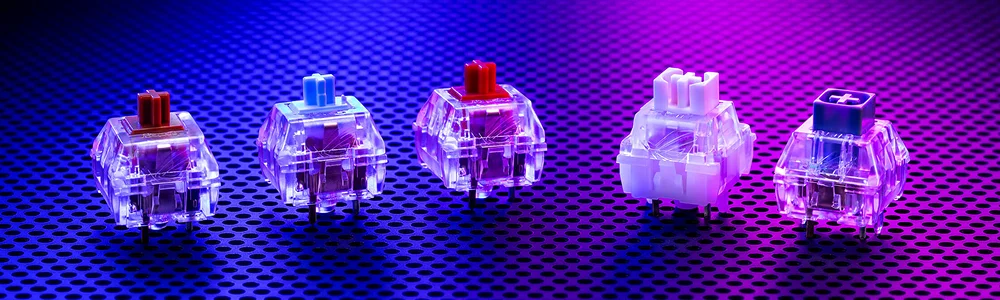
The ROG Azoth excels not just in design but in typing feel. It features ROG NX mechanical switches in various versions (Red, Brown, Blue, Storm, and Snow), all factory pre-lubricated for smooth travel and noise-free operation. Additionally, thanks to the 3 and 5-pin hotswap system, they can be easily changed for maximum customization.
The gasket mount and internal foam provide a gentle rebound and eliminate resonances, achieving a very pleasant experience for both gaming and typing. There's no perceptible latency, even in wireless mode, and the sound is clean and non-distracting, ideal for long sessions without fatigue.
Available ROG NX Switch Types
-
NX Red: Linear, smooth, and quiet. Perfect for competitive gaming with quick response and no tactile resistance.
⟶ 45g force, 1.8 mm actuation.
-
NX Blue: Tactile with audible click. A good choice if you enjoy that classic mechanical sound.
⟶ 65g force, 1.8 mm actuation.
-
NX Brown: Tactile and balanced. Offer a subtle “bump” when pressed, ideal for those who type a lot but also game.
⟶ 58g force, 2 mm actuation.
-
NX Snow: Premium linear. Smoother and quieter than the Reds, with better lubrication and a more refined glide.
⟶ 45g force, 1.8 mm actuation. “Butter-like” feeling to the touch.
-
NX Storm: Silent tactile. Similar to the Browns, but with a softer touch and a rounder sound. Very comfortable for long sessions.
Connectivity and Battery
One of the strong points of the ROG Azoth is its versatile connectivity. It can be used in three ways:
- USB-C cable
- 2.4 GHz wireless with ROG SpeedNova dongle
- Bluetooth, ideal for pairing multiple devices
The wireless connection with SpeedNova surprises with its low latency, comparable to wired use. Even in demanding games, you won't notice any lag. And the battery doesn't disappoint: it can last up to 2,000 hours without lighting, or between 150 to 300 hours with the screen and RGB active, depending on brightness.
Additionally, it charges quickly and can be used while charging via USB-C.
Software and Customization
Everything is configured from Armoury Crate, ASUS's software.
- Change profiles
- Customize animations on the OLED screen
- Assign functions to the wheel
- Adjust RGB effects
- Reassign keys or record macros
The interface is visually appealing and relatively comprehensive, although it still needs improvement: some users report bugs or it consumes more resources than expected. But once configured to your liking, the result can be impressive.
Is the ASUS ROG Azoth Worth It?
This is a premium keyboard that competes not only with other high-end gaming models but also with hand-assembled custom keyboards. Its price might be high for those looking only for something functional to play with, but for enthusiasts of sound, feel, and solid build, the Azoth has a lot to offer.
- Robust and elegant design, without flamboyance.
- High-quality typing experience with gasket mount, internal foam, and well-lubricated switches.
- An OLED screen with useful tools.
- Total connectivity versatility, battery autonomy, and response fitting for competitive gaming.
Conclusion
The ASUS ROG Azoth is, without exaggeration, one of the best keyboards if you're interested in both gaming and enjoying the typing experience. It's a rare but successful hybrid between the gaming world and the custom universe.
It's not for everyone. But if you're one of those who obsess over perfect sound, ideal feel, and impeccable construction, it's worth your attention.
ASUS ROG Azoth
Teclado mecánico 75% que fusiona características custom con rendimiento gaming.
Pros
- Experiencia de escritura nivel custom (Gasket Mount)
- Pantalla OLED funcional y personalizable
- Switches lubricados de fábrica muy suaves
- Kit de lubricación incluido en la caja
- Conectividad inalámbrica impecable
Cons
- Precio elevado frente a competencia estándar
- Software Armoury Crate pesado y a veces inestable
Information based on official specs. The author has not had physical access to the product for this report.
Comments (0)
No comments yet. Be the first!
You might also like

540Hz at $1,099: ROG Swift OLED PG27AQWP-W, the world's fastest OLED monitor.
The ROG Swift OLED PG27AQWP-W arrives at $1,099 with native 540Hz at QHD, 4th gen Tandem WOLED panel, and translucent design. A technical analysis with the caveats the rest of the media doesn't mention.
29 April 2026
ASUS Debuts RGB Stripe Pixel OLED at CES 2026: Three New ROG Monitors Solve Text Issue
At CES 2026, ASUS introduced three new ROG monitors featuring RGB Stripe Pixel OLED, the groundbreaking panel innovation that finally resolves color fringing in text and makes OLED a no-compromise option for gaming and productivity.
29 April 2026

The New Era of Portable Gaming: ROG Ally, Steam Deck, and Switch 2
Portable gaming is experiencing its peak. We analyze and compare the three queens of the market: ASUS ROG Ally, Steam Deck, and the new Nintendo Switch 2.
20 April 2025